

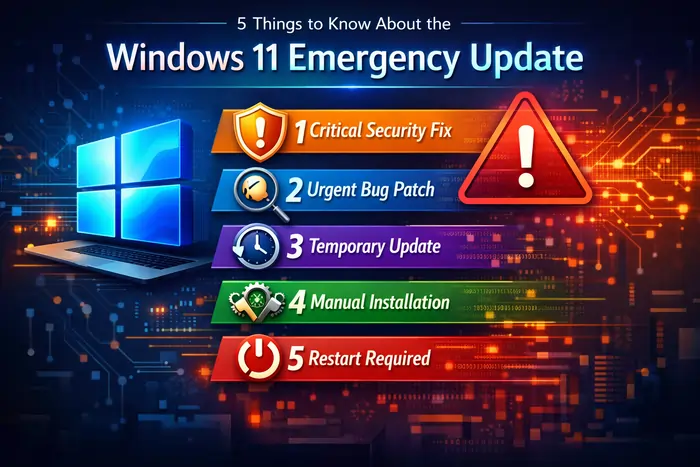
Microsoft has released an urgent Windows 11 Emergency Update to fix critical vulnerabilities in core networking components, and every user and admin should understand what it is, what it fixes, and how to deploy it safely. In this guide, you will learn five essential things about the Windows 11 Emergency Update, plus practical steps and trusted external resources to dive deeper.
1. What the Windows 11 Emergency Update Is
The Windows 11 Emergency Update is an out‑of‑band security patch released outside the normal Patch Tuesday cycle to address a set of serious Remote Code Execution (RCE) vulnerabilities in the Routing and Remote Access Service (RRAS) components of Windows 11. Unlike regular cumulative updates that are scheduled and predictable, an out‑of‑band emergency update is pushed when Microsoft believes the risk of leaving systems unpatched is too high to wait.
For many enterprise devices, this comes in the form of hotpatch KB5084597, which targets Windows 11 versions such as 24H2 and 25H2 that are enrolled in Microsoft’s hotpatch program. Hotpatching allows security fixes to be applied to running processes in memory with minimal disruption while also updating system files on disk so the patch persists after a restart. On standard consumer and business installations that are not part of the hotpatch program, the same vulnerabilities are addressed through the March 2026 cumulative security updates—for example, KB5079473 and related packages tied to specific Windows 11 builds.
Microsoft explains the behavior, scope, and status of these updates in its Windows Message Center, which is the official hub for release‑health announcements. You can monitor that page to see when the Windows 11 Emergency Update has rolled out to your version and what known issues or mitigations exist.
If you want a direct, technical breakdown of the hotpatch itself, Microsoft provides a dedicated support page with build numbers, installation details, and known issues for KB5084597. You can reference it here: KB5084597 Windows 11 hotpatch support article.
2. The Critical Vulnerabilities It Fixes
At the core of the Windows 11 Emergency Update are several critical security flaws in the RRAS management components that can be exploited remotely. These vulnerabilities allow an attacker to craft malicious network traffic or servers that, when contacted by a vulnerable Windows 11 system, can trigger remote code execution in the context of the affected process. In practical terms, that means a successful attack could allow an attacker to run arbitrary code, install malware, steal data, or move laterally inside a network.
Security advisories and technical write‑ups indicate that the vulnerabilities are tracked under CVE identifiers such as CVE‑2026‑25172, CVE‑2026‑25173, and CVE‑2026‑26111, all of which are rated critical due to their network‑based RCE potential. The affected components are tied to RRAS features used for routing, VPN, and remote access configuration, which are especially common in enterprise and data‑center environments. Even systems that do not actively use RRAS can be at risk if the vulnerable code paths can be reached through crafted network traffic.
Because of the severity and the networking angle, Microsoft chose to ship an out‑of‑band update instead of waiting for the next monthly release window. This is a strong indication that the vulnerabilities are either already being probed in the wild or present a high enough theoretical risk that delaying the fix would be irresponsible. Independent security outlets have echoed this urgency, publishing detailed explainers for admins and advanced users.
For a readable, technical summary of how the RRAS flaws work and how the patch mitigates them, see this article: Microsoft releases Windows 11 OOB hotpatch to fix RRAS RCE flaw. Another accessible breakdown of the Windows 11 Emergency Update and the RRAS risk is available here.
3. Who Is Affected and Which Versions Are Involved
While the headline speaks broadly to “Windows 11 users,” not every device receives the same payload or uses the same mechanism for the Windows 11 Emergency Update. Understanding which systems are affected helps you prioritize patching and understand the risk surface.
In broad strokes:
- Windows 11 Enterprise devices running newer builds (such as 24H2 and 25H2) and enrolled in Microsoft’s hotpatch program receive KB5084597 as a hotpatch.
- Other supported Windows 11 installations, including Home, Pro, and Enterprise editions not using hotpatch, receive the RRAS fixes as part of the March 2026 cumulative updates, such as KB5079473 and related KBs tied to their specific version.
- Systems that act as RRAS servers, VPN gateways, or complex routers in business environments are the highest‑risk targets due to their exposure and role.
Even if you use Windows 11 on a home PC and never explicitly configure RRAS, patching is still important. Vulnerable code may still exist in the OS, and attackers often look for chained vulnerabilities that take advantage of any unpatched component. However, corporate environments, especially those relying heavily on RRAS for VPN and remote connectivity, are the primary focus of this emergency release.
To confirm which update applies to your particular version of Windows 11, you should cross‑check your version and build number in Settings → System → About, then match that against Microsoft’s update history and KB articles. A good starting point for that is the official Windows release‑health and update‑history pages: Windows message center.
For an end‑user view of what changed in the March 2026 updates more generally (including but not limited to the RRAS fixes), you can read this overview: I tested Windows 11 March 2026 Updates: Everything new, improved, and fixed.
4. How the Hotpatch Mechanism Works and Why It Matters
One of the most noteworthy aspects of the Windows 11 Emergency Update is its use of hotpatching on eligible systems. Hotpatching is a method of applying security fixes to running processes in memory, which means the patch takes effect immediately and often does not require a full system restart to begin protecting the device. This is particularly valuable in enterprise environments where uptime is critical and maintenance windows are hard to schedule.
With KB5084597, Microsoft uses hotpatching to update RRAS‑related components on supported Windows 11 Enterprise builds. The process injects the patched code into memory and also updates the on‑disk binaries, ensuring that the system remains patched after a reboot and for subsequent sessions. In practice, this gives organizations the ability to mitigate serious vulnerabilities quickly while planning any necessary reboots at a more convenient time.
However, hotpatching is not available on every edition or deployment of Windows 11. Many home and small‑business setups still rely on traditional cumulative updates delivered via Windows Update, which typically require at least one restart to fully apply security fixes. For those systems, the RRAS vulnerabilities are addressed through the March 2026 security updates rather than through KB5084597 itself.
For a concise explanation of how this out‑of‑band hotpatch fits into Microsoft’s broader patch strategy for Windows 11, you can explore this brief: Out-of-band update released for Windows Enterprise client devices running hotpatch updates. If you want a third‑party overview of the hotpatch approach and its importance, this article is also helpful: Microsoft: Out-of-band update for hotpatch Windows 11.
5. What You Should Do Right Now
Whether you are a casual Windows 11 user or an IT administrator managing hundreds or thousands of endpoints, there are immediate steps you should take because of the Windows 11 Emergency Update.
For everyday Windows 11 users
- Check for updates manually
Open Settings → Windows Update and select “Check for updates” to see if the March 2026 security updates are available for your device. If you see updates like KB5079473 or another March 2026 cumulative package listed as pending install, allow Windows to download and apply them.
For detailed instructions on how to check for and install updates, you can follow Microsoft’s own guidance on the release‑health and update pages: Windows message center.
- Install and restart promptly
Once the update is downloaded, Windows may request a restart to complete installation. Do not delay this restart unnecessarily; security fixes are only fully active after the system has completed the update process. Save your open work, reboot, and verify afterward that Windows Update shows your device as up to date.
- Be cautious with unfamiliar network connections
Until you are sure your system is fully patched, be especially careful about connecting to unknown VPN servers, remote admin tools, or network paths you do not recognize. Malicious actors can use social engineering or phishing messages to lure users into connecting to rogue servers designed to exploit vulnerabilities like those in RRAS. This is good practice in general, but it is especially important immediately before and after high‑profile security patches like the Windows 11 Emergency Update.
For IT admins and security teams
- Verify hotpatch eligibility and rollout
Confirm which Windows 11 Enterprise devices in your fleet are enrolled in the hotpatch program and eligible for KB5084597. Devices managed via Windows Autopatch should automatically receive the hotpatch without a reboot, but it is still important to verify install status and build numbers via your management console.
- Validate installation and coverage
Use your endpoint management tools—such as Microsoft Intune, Configuration Manager, or third‑party patch‑management platforms—to report on installation of KB5084597 or the relevant March Patch Tuesday cumulative updates. Cross‑reference against the RRAS vulnerability advisories to ensure all systems with RRAS installed are covered.
- Monitor for issues and side effects
Alongside the security benefits, you should be aware of issues reported with related March 2026 cumulative updates, such as problems with Microsoft account sign‑ins in apps like Teams and OneDrive after installing KB5079473. Microsoft and security outlets are tracking these side effects, and in some cases additional out‑of‑band fixes are expected. For more detail on sign‑in issues tied to the broader March updates, see: Microsoft: March Windows updates break Teams, OneDrive sign-ins.
- Harden RRAS and review network exposure
Even after the Windows 11 Emergency Update is installed, it is wise to review how and where RRAS is deployed in your environment. Limit exposure of RRAS endpoints to the public internet wherever possible, enforce strong authentication, and monitor traffic for unusual patterns that could suggest exploit attempts.
- Document your response
Finally, document when and how you applied the Windows 11 Emergency Update across your estate. Good documentation will help you demonstrate due diligence in audits, incident reviews, and compliance checks, and it will simplify future patch cycles when similar emergency hotpatches are released.
Conclusion
In conclusion, staying on top of the latest Windows 11 Emergency Update ensures your system is protected against critical RRAS vulnerabilities while minimizing downtime and disruption. As you harden your devices and keep your OS secure, it is also a great time to look ahead at what you will be playing on those freshly patched PCs. If you are a gamer, you might enjoy this deep-dive feature on one of the most talked‑about upcoming action adventures—check out 6 Big Highlights From the Crimson Desert Gameplay Reveal