

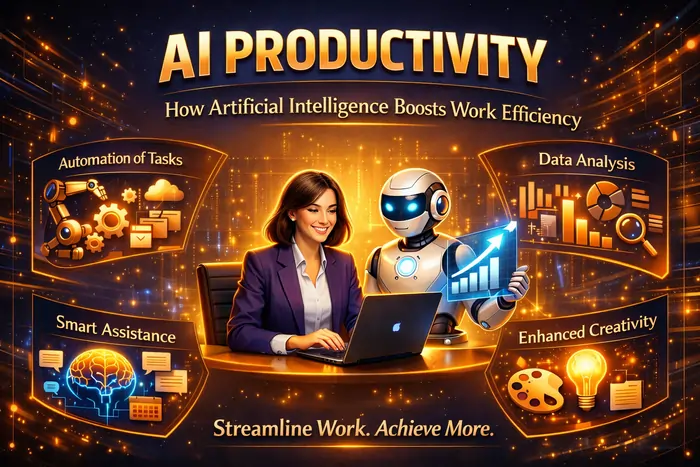
AI is no longer a futuristic add‑on; it’s quietly woven into the tools you already use and is reshaping how work gets done day to day. Done well, AI productivity is about eliminating friction, automating low‑value tasks, and amplifying human strengths so teams can focus on deeper, higher‑impact work—not about replacing people or pushing them harder.
What “AI Productivity” Really Means
AI in the workplace includes systems that automate tasks, generate content, analyse information and surface insights in the tools where work already happens.
AI in the Workplace: The Complete 2026 Guide explains that modern AI is embedded in email, chat, documents, meeting tools and CRMs, quietly handling things like summarisation, scheduling and suggestions. Kore.ai’s AI in the Workplace: What’s Actually Working in 2026 describes how “meeting intelligence,” content summarisation and agentic workflows now capture discussions, turn them into action items and move work forward automatically.
McKinsey estimates that, across use cases, AI could eventually add trillions of dollars in productivity gains globally and make 60–70% of work more efficient by reducing time on routine tasks. Forbes summarises this shift in How AI Enhances Employee Productivity and Creativity, noting that organisations using AI have seen up to 40% productivity boosts in some functions and that over 80% of GenAI users expect it to improve their efficiency.
How AI Actually Boosts Work Efficiency
Despite the hype, AI mostly helps in a few very practical ways.
1. Automating routine, repetitive tasks
SideTool’s The Impact of AI on Knowledge Work shows that over 60% of knowledge workers now use AI‑powered tools daily, largely to offload routine tasks. These include:
- Data entry and report generation
- Calendar scheduling and email triage
- Document search and information retrieval
The article notes that automating such tasks can cut task times by up to 40%, freeing workers to focus on analysis, strategy and creative work. Bloomberg’s piece on knowledge work automation adds that AI‑driven automation has increased workflow efficiency by 70% and document‑search speed by 50%, delivering a 294% ROI in one analyst study.
2. Summarising information and meetings
Kore.ai highlights meeting intelligence as a clear productivity win: AI can capture discussions, summarise key points, identify action items, assign owners and generate follow‑up drafts. That means:
- Late joiners or absentees can read a short summary instead of watching a full recording
- Leaders can scan a five‑minute recap instead of a 60‑minute call
- Teams can move from discussion to decisions faster
Read AI’s workplace guide similarly describes AI summarisation as a cure for “information chaos,” turning unstructured conversations into searchable, actionable knowledge.
3. Drafting and refining content
Tools like ChatGPT‑style assistants, Notion AI, Google Gemini and Microsoft Copilot can draft emails, reports, proposals, docs and slides based on prompts or existing content. Zapier’s best AI productivity tools in 2026 lists over 50 apps that help with writing, research, code, design and automation, all aimed at helping you “work faster—and better.”
MIT Sloan’s How generative AI can boost highly skilled workers’ productivity found that when used within its capabilities, generative AI improved highly skilled workers’ performance by nearly 40% compared with those who didn’t use it. When participants had both AI and clear guidance about where to use it, performance jumped over 42%.
4. Enhancing decision‑making with better insights
AI systems combine machine learning and analytics to surface patterns humans might miss. SideTool notes that AI can:
- Analyse large data sets quickly
- Generate dashboards and recommendations
- Support complex decisions with real‑time insights
That doesn’t remove humans from the loop; instead, it reduces time spent gathering and cleaning data, so more time goes into interpretation and strategy.
Real‑World Productivity Gains: What the Data Says
Several studies and pilots give a quantitative picture of AI productivity.
Microsoft Copilot: hours saved at team scale
A LinkedIn case study on AI Productivity Tools: How Copilot Boosts Workplace Efficiency reports that:
- Employees using Copilot saved over 1 hour per day, totalling around 5,000 hours per month across one organisation.
- 84% of users reported a 10–20% productivity boost, with thousands of work hours eliminated through automation.
- Users completed tasks up to 29% faster and cut email time by 64%.
These gains came mainly from meeting summaries, email drafting, document generation and data analysis within Microsoft 365.
AI adoption and perceived benefits
Forbes, citing McKinsey and HCAMag, notes that:
- Organisations leveraging AI report 20–40% productivity increases in some areas.
- Around 80% of employees using AI tools say they’ve enhanced productivity, especially for writing support, workflow automation and data examination.
- Over 80% of workers who use GenAI daily expect it will further improve their efficiency in the next year.
Kore.ai points to Microsoft’s Work Trend Index, highlighting that 90% of knowledge workers say AI helps them save time, and 85% say it helps them focus on their most important work.
Top AI Productivity Tools and What They’re Good At
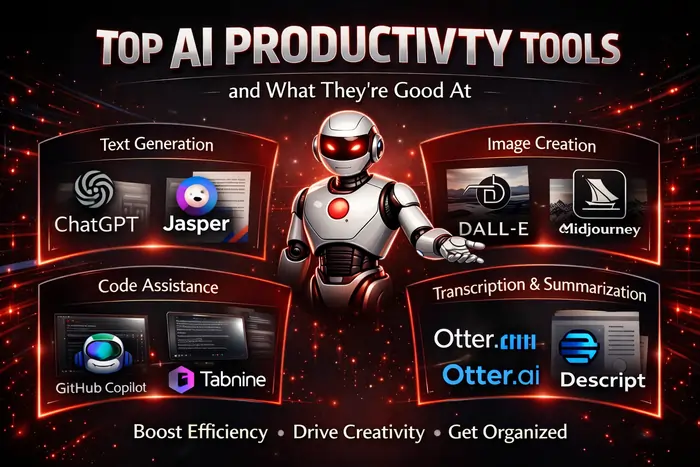
Different tools target different parts of your workflow.
Global Tech Council’s Top AI Tools for Productivity in 2026 and Supaboard’s Top AI Tools to Boost Your Productivity in 2026 highlight categories like:
- Workflow automation: Zapier, n8n, Zapier Agents—connect apps, trigger actions, automate handoffs.
- Knowledge and note management: Notion AI, Mem AI—summarise notes, draft content, surface relevant information.
- Document and PDF processing: Acrobat Studio—summarise long PDFs, extract insights, generate visuals.
- Device‑level productivity: Galaxy AI on Samsung devices—Now Brief, Now Bar and cross‑app interactions to streamline daily actions.
- Communication and collaboration: Read AI, Copilot, Slack AI and meeting bots—summaries, follow‑ups and action items from meetings and chats.
- Content creation: Synthesia and related media tools—faster video and media production for marketing and training.
TrackingTime’s Best Productivity Tools for Workflow Efficiency in 2026 combines classic tools (Slack, Asana, Trello, Google Workspace) with AI add‑ons (AI Summarizer, automation connectors) to build an integrated productivity stack.
Where AI Creates the Biggest Efficiency Wins
AI isn’t equally useful for every task. Studies and case‑studies consistently show a few high‑ROI areas.
Knowledge work and “inside the frontier” tasks
MIT Sloan’s study on generative AI found that performance boosts were strongest when AI was applied to tasks within its competence range, such as drafting, brainstorming and restructuring content. When workers used AI outside that boundary (for tasks requiring deep human judgment), performance dropped by around 19 percentage points.
This suggests a practical rule: use AI for patterned, information‑heavy tasks where it has plenty of training data, and leave novel, high‑stakes decisions to humans, possibly with AI as a research assistant.
Knowledge work automation and document‑heavy processes
Bloomberg’s analysis of knowledge work automation shows enormous gains from AI in document‑centric environments: up to 70% efficiency increases in workflows and 50% faster document search. That matters in sectors like legal, finance, compliance and customer support, where a lot of time is spent looking for, reading and synthesising information.
Risks and Trade‑offs: When AI Hurts Productivity
AI isn’t a magic switch, and misuse can backfire.
Harvard Business Review’s AI Doesn’t Reduce Work—It Intensifies It cautions that AI can increase expectations and pace: once tasks become faster, organisations may add more work rather than using the time to reduce burnout or invest in deep thinking. MIT Sloan also shows that using AI outside its sweet spot can reduce performance, highlighting the need for training and clear guidance.
McKinsey’s commentary on generative AI productivity, summarised in a LinkedIn post How gen AI can boost productivity, notes that automation of 60–70% of routine tasks will require reskilling and thoughtful change management to avoid job‑displacement shocks and confusion.
Read AI and Kore.ai both stress that context and integration matter: fragmented AI tools that don’t talk to each other can create new silos and cognitive load instead of reducing them.
How to Introduce AI Productivity Tools Without Chaos
To make AI a real productivity boost rather than a distraction, most workplace guides recommend a structured rollout.
1. Start with clear goals and use cases
Read AI suggests starting by asking: “Where does work get stuck today?” and “Which tasks are repetitive, information‑heavy, or low‑value for humans?” SideTool and Supaboard recommend focusing first on:
- Routine admin and reporting
- Meeting and communication overload
- Document search and summarisation
- Simple customer queries and internal FAQ‑style support
2. Pilot with small groups and measure impact
Psycho‑Smart’s Leveraging AI Tools to Enhance Productivity in the Workplace points out that McKinsey studies see 20–40% productivity improvements where AI is implemented well, but emphasises the importance of measuring impact on both productivity and engagement. They recommend:
- Running pilots in one or two teams
- Tracking time saved, quality improvements and employee satisfaction
- Adjusting prompts, guidelines and workflows before scaling organisation‑wide
Kore.ai highlights the value of connecting AI pilots to concrete metrics—meeting hours reduced, response times improved, NPS scores—so you can justify further investment.
3. Train people on how and when to use AI
MIT Sloan’s research shows that providing both access to AI and an overview of its strengths and limits produced the biggest performance gains. Forbes and McKinsey both stress the need for:
- Training on prompt design and verification of outputs
- Clear policies on data privacy and responsible use
- Guidance on which tasks should always involve human review
Without this, employees may underuse AI (stick to old habits) or over‑rely on it (trusting wrong outputs or using it for inappropriate tasks).
Building Your AI‑Enhanced Productivity Stack
A practical way to think about AI productivity: how artificial intelligence boosts work efficiency is to design around three layers: individual productivity, team workflows, and organisational intelligence.
- At the individual level, tools like Notion AI, Mem AI, AI summarizers, and personal assistants help people manage notes, tasks and information faster.
- At the team level, AI‑augmented collaboration tools—Copilot in Microsoft 365, Read AI for meetings, Slack AI, task‑management tools with AI—streamline communication and coordination.
- At the organisation level, agentic workflows and analytics‑focused AI improve data‑driven decision-making and cross‑department visibility.
Supaboard’s 2026 roundup and TrackingTime’s tool guide both show how you can mix and match these layers to fit your stack, rather than chasing every new AI app on the market.
If you’re looking to connect AI efficiency gains with broader operational improvements, Business Productivity: Smart Strategies to Boost Results breaks down high‑impact ways to redesign workflows, teams and metrics so you actually capture the performance lift that AI makes possible.
Artificial intelligence already boosts work efficiency in very concrete ways: fewer hours lost to admin, shorter meetings, faster documents, and richer insights from data. The challenge now isn’t whether AI can help, but how intentionally you adopt it—choosing the right use cases, training people well, integrating tools with existing systems, and using the time it frees to invest in deeper, more human work.