

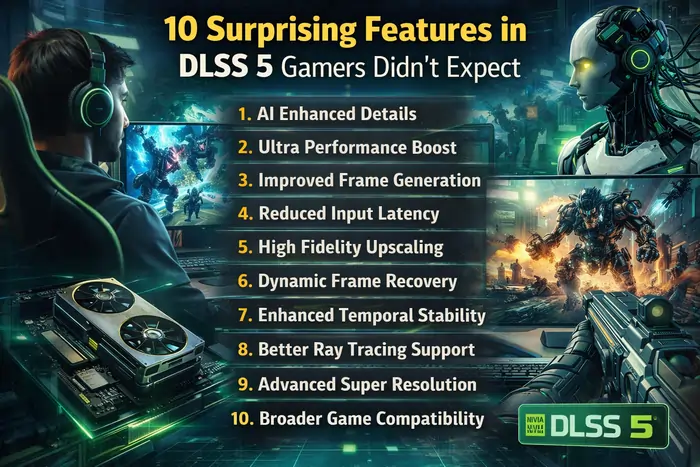
DLSS 5 is NVIDIA’s next-generation AI rendering technology that goes beyond upscaling by using real-time neural networks to improve lighting, materials, performance, and responsiveness in games.
Unlike earlier versions, DLSS 5 acts as a real-time AI rendering model that can reconstruct and enhance entire scenes, not just resolution. It builds on DLSS 4.5’s multi-frame generation and transformer-based architecture to deliver higher frame rates, improved image stability, and more photorealistic visuals.
Key innovations include advanced frame generation, better latency control, and AI-driven lighting and material enhancements. DLSS 5 also challenges the traditional idea of “native resolution,” as AI-enhanced rendering can sometimes produce cleaner and more stable images than standard rendering methods.
DLSS 5 also lands in a PC ecosystem that’s rediscovering compact, console‑like systems such as Valve’s latest hardware experiments, which you can see in more detail in Valve Steam Machine: The Powerful Gaming PC Returns.
Note: DLSS 5 details are still emerging. Where DLSS 5 isn’t fully documented yet, this article anchors expectations in official NVIDIA information on DLSS 3, 4, and 4.5 plus early coverage of DLSS 5’s announcement.
1. DLSS 5 turns AI into a “real‑time rendering model”
One of the biggest surprises in DLSS 5 is how NVIDIA positions it less as a simple upscaler and more as a real‑time AI rendering model that actively shapes each frame.
With DLSS 2 and DLSS 3, the core idea was clear: render the game at a lower resolution, then reconstruct a higher‑resolution image with a neural network. DLSS 4 and DLSS 4.5 went further, adding Multi Frame Generation and a transformer‑based upscaling model that uses multiple frames of history for stability and detail.
DLSS 5, according to NVIDIA’s GTC 2026 announcement, pushes that concept into new territory by introducing a real‑time AI rendering model that:
- Takes color data, motion vectors and scene information from the game.
- Uses an advanced transformer network to “re‑render” parts of the frame in real time.
- Infuses scenes with improved lighting and material detail that the base game isn’t directly drawing.
You can see how NVIDIA frames this shift in its DLSS 5 reveal:
NVIDIA DLSS 5 Delivers AI‑Powered Breakthrough In Visual Fidelity
For background on DLSS as a family of neural rendering technologies, the official overview is still the best starting point:
NVIDIA DLSS Technology
2. AI “infuses” scenes with photorealistic lighting and materials
Gamers expected DLSS 5 to improve performance and upscaling quality. What many didn’t expect is how aggressively it tackles lighting and material realism.
Early coverage notes that DLSS 5’s AI model doesn’t just reconstruct missing pixels; it infuses pixels with photorealistic lighting and materials, attempting to bridge the gap between rasterized rendering and offline path‑traced “cinema” quality. In practice, this means:
- More believable reflections and subtle lighting gradients.
- Better handling of skin, cloth, metal and other complex surfaces.
- More consistent shading from frame to frame, reducing the “flicker” you sometimes see in earlier upscalers.
This builds on the ray reconstruction work in DLSS 3.5 and the improved lighting detail and temporal stability introduced in DLSS 4 and 4.5. The DLSS Wikipedia entry summarises this progression well, especially the jump to DLSS 4’s transformer model and DLSS 4.5’s dynamic multi‑frame generation:
Deep Learning Super Sampling – Wikipedia
3. Multi‑frame generation goes far beyond “double your FPS”
DLSS 3’s Frame Generation already surprised gamers by creating entirely new frames between rendered ones, boosting frame rates in CPU‑limited games. DLSS 4 added Multi Frame Generation, and DLSS 4.5 extended that to dynamic multi‑frame generation with up to roughly 6x frames in some scenarios.
DLSS 5 pushes this idea further in two important ways:
- It layers frame generation on top of a more powerful transformer‑based upscaling model, improving temporal stability, detail retention, and ghosting control versus earlier versions.
- It integrates frame generation more tightly with the real‑time rendering model, so AI can “decide” how much frame interpolation to apply depending on motion, latency budgets, and scene complexity.
For a simple explanation of how multi‑frame generation works and why it’s so impactful on RTX 50‑series GPUs, Corsair has a good primer:
What is DLSS Multi Frame Generation?
And for the earlier baseline, NVIDIA’s DLSS 3 introduction is still worth reading:
Introducing NVIDIA DLSS 3
4. DLSS 5 builds on a second‑generation transformer model
Under the hood, one of the biggest quiet changes is how DLSS 5 thinks. DLSS 4 introduced an AI model based on transformer architecture, which improved image stability, lighting detail, and memory usage. DLSS 4.5 upgraded that transformer model again and introduced dynamic frame generation.
DLSS 5 reportedly continues this trend with an even more advanced transformer‑based network that:
- Looks at longer sequences of frames to understand motion and scene context.
- Better preserves tiny details like foliage, wires, and texture patterns while still cleaning up noise.
- Uses FP8 precision and newer Tensor Core optimizations to keep the computation manageable on RTX 40 and RTX 50‑series hardware.
The DLSS technology page explains how NVIDIA has turned DLSS into a “suite of neural rendering technologies,” not a single fixed algorithm:
NVIDIA DLSS Technology
For a more neutral, technical explanation of DLSS versions and model changes, the Wikipedia entry remains a solid reference.
5. DLSS 5 can radically change how characters and scenes look – for better or worse
One surprise that has sparked debate is how stylized DLSS 5’s output can appear. Some early coverage notes that DLSS 5’s real‑time model can make characters and materials look almost “AI‑generated,” with ultra‑smooth skin and slightly uncanny shading.
That has two implications gamers didn’t fully expect:
- In some titles, DLSS 5 can make scenes look more cinematic and cohesive than the native rendering path, smoothing out aliasing and lighting inconsistencies.
- In others, especially at extreme performance settings, players may feel their games look a bit “too processed” or “too AI,” sparking debates similar to those around AI‑generated art.
Gizmodo’s early reaction captures both the promise and the concern in a strong opinion piece:
Nvidia Wants to Slop‑ify Your PC Games With Its New AI Upscaler
This tension between fidelity and authenticity is likely to be one of the most controversial aspects of DLSS 5 as more games adopt it.
6. CPU‑bound games can feel completely transformed
DLSS 3’s frame generation surprised many by dramatically improving frame rates in CPU‑limited games—titles with huge worlds, heavy physics, or lots of simulation. Because Frame Generation runs as a post‑process on the GPU, it can effectively bypass CPU bottlenecks.
DLSS 5 inherits and extends this capability:
- Multi‑frame generation plus more efficient upscaling lets RTX 40 and 50‑series cards push much higher effective FPS, even in games where the CPU can’t keep up.
- More intelligent handling of motion vectors and scene context helps maintain smoothness and reduce artifacts in complex, CPU‑heavy scenes.
NVIDIA’s original DLSS 3 launch article explains the basic logic of frame generation in CPU‑bound scenarios:
Introducing NVIDIA DLSS 3
PCWorld’s explainer on DLSS 3 is also useful for understanding the baseline before DLSS 5’s upgrades:
What is DLSS 3? Nvidia’s game‑changing RTX feature explained
7. Latency and responsiveness aren’t an afterthought anymore
Early on, a lot of gamers worried that inserting AI‑generated frames would increase input latency. DLSS 3’s Frame Generation did add some latency, which NVIDIA mitigated with Reflex in many games.
With later versions, including DLSS 4.5 and now DLSS 5, NVIDIA has put more focus on keeping latency low while boosting FPS:
- Newer DLSS models work hand‑in‑hand with NVIDIA Reflex to reduce end‑to‑end latency, especially in fast shooters and competitive games.
- Better motion prediction and temporal stability from the transformer model means less need for aggressive buffering, helping keep input feeling snappy.
NVIDIA’s developer page for DLSS describes how the tech samples multiple low‑resolution frames and motion data to construct high‑quality images, which is also where latency management comes into play:
NVIDIA DLSS for Developers
8. DLSS 5 refines DLSS 4.5’s dynamic multi‑frame generation (up to 6x frames)
DLSS 4.5 introduced Dynamic Multi Frame Generation, which can generate up to around six times the number of frames on RTX 50‑series GPUs in ideal scenarios. DLSS 5 reportedly refines this system, making it:
- More adaptive, scaling the amount of frame generation based on scene complexity and motion.
- More robust on a wider range of hardware, though the biggest gains are still on RTX 40 and 50‑series cards that support FP8 Tensor operations.
A simple, consumer‑friendly description of dynamic multi‑frame generation appeared in community and retailer posts about DLSS 4.5, such as Computer Lounge’s summary highlighting “up to 6x multi‑frame generation” and real‑world caveats.
For an official, structured list of DLSS versions and capabilities, the DLSS section on Wikipedia is invaluable.
9. DLSS is now a full “neural rendering suite,” not just an upscaler
Another thing gamers didn’t necessarily expect is how broadly DLSS has grown. NVIDIA’s own marketing calls DLSS a “suite of neural rendering technologies” that boost FPS, reduce latency, and improve image quality across multiple axes, not just resolution.
As of DLSS 4.5 and DLSS 5, that suite includes:
- Super Resolution / upscaling (the original DLSS function).
- Multi Frame Generation (DLSS 4 and 4.5).
- Dynamic frame generation and a second‑generation transformer model (DLSS 4.5).
- Real‑time AI rendering model and photorealistic material/lighting enhancements (DLSS 5).
The overview page lays this out clearly and is worth linking in any general DLSS article:
NVIDIA DLSS Technology
For a more hardware‑oriented explanation of DLSS and Tensor Cores, Supermicro’s glossary page is also handy:
What Is Deep Learning Super Sampling (DLSS)?
10. DLSS 5 could reshape the “native vs upscaled” debate
Finally, perhaps the most surprising feature of DLSS 5 is how much it blurs the line between native rendering and AI‑assisted visuals. With earlier DLSS versions, many players saw upscaling as a compromise to hit higher FPS. DLSS 5 challenges that mindset.
Because DLSS 5:
- Adds lighting and material detail that may not exist in the native render.
- Smooths out temporal artifacts and improves scene consistency over multiple frames.
- Can make some games look objectively “cleaner” and more stable than their native resolution output.
…gamers and reviewers will increasingly ask whether “native” is still the gold standard—or whether a well‑trained neural renderer can sometimes deliver a better overall image.
Tech coverage like the DLSS 4 vs FSR 4 analysis at DarkFlash, and DLSS 4.5 discussions at outlets and retailers, already hint at this shift in how we judge image quality:
FSR 4 vs. DLSS 4 – AI‑based Image Upscaling Technology
With DLSS 5, that conversation will only get louder.
As AI‑driven rendering becomes normal, it will also influence how we think about gaming on future devices, from high‑end PCs to foldable phones and hybrid form‑factors. Apple’s rumored entry into this space, explored in Apple iPhone Foldable: Apple’s Bold New Device Revealed, hints at how portable hardware could lean on techniques like DLSS‑style upscaling to deliver desktop‑class visuals on mobile screens.