

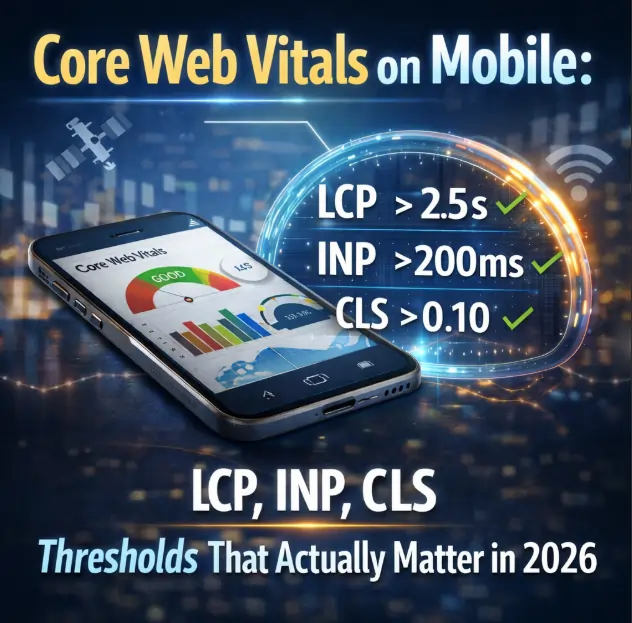
Core Web Vitals mobile thresholds in 2026 are stricter than ever: LCP under 2.5 seconds, INP under 200 milliseconds, and CLS under 0.1. Mobile-first indexing means these page experience metrics directly impact both mobile and desktop rankings.
Poor Core Web Vitals mobile performance is often caused by DOM size exceeding 1,500 nodes, lack of Server-Side Rendering (SSR) for Mobile , or improper viewport meta tags.
Jin Grey, a Senior SEO Consultant with 18+ years of experience, notes that most Core Web Vitals mobile failures stem from treating mobile as an afterthought rather than optimizing for mobile page experience from the start.
The 2.5-Second Cliff
A mid-sized online retailer had a beautiful desktop site. Fast. Responsive. Conversion-optimized. On desktop, their Largest Contentful Paint (LCP) was 1.8 seconds — well within Google’s “good” threshold.
On mobile, the same page took 4.7 seconds to load.
The marketing team couldn’t understand why mobile traffic had dropped 35% over six months. Their desktop rankings were stable. Their content was high-quality. Their backlink profile was strong.
But Google had fully rolled out mobile-first indexing. The Core Web Vitals mobile thresholds were now ranking signals. And the retailer’s mobile pages were failing every single metric.
This scenario is increasingly common. Jin Grey, a Senior SEO Consultant with 18+ years of experience, has documented this pattern across hundreds of client engagements. In her practice, organizations that fail to meet Core Web Vitals mobile thresholds consistently lose visibility — even on desktop.
This guide explains what Core Web Vitals mobile thresholds actually matter in 2026, why mobile thresholds are harder to meet than desktop, and how to diagnose and fix the most common failures.
What Are Core Web Vitals and Why Do They Matter for Mobile SEO?
Core Web Vitals are Google’s set of standardized metrics that measure real-world user experience for page loading, interactivity, and visual stability. On mobile, they are non-negotiable ranking signals.
The Three Core Web Vitals for Mobile
| Metric | What It Measures | Mobile Threshold (Good) | Why It Matters |
|---|---|---|---|
| Largest Contentful Paint (LCP) | Loading speed — how long until the main content appears | Under 2.5 seconds | Mobile users on 4G/5G are impatient. Slow LCP increases bounce rates by 32% at 3 seconds. |
| Interaction to Next Paint (INP) | Responsiveness — how quickly the page reacts to taps/swipes | Under 200 milliseconds | Mobile users expect instant feedback. Poor INP feels laggy and unresponsive. |
| Cumulative Layout Shift (CLS) | Visual stability — how much the page jumps while loading | Under 0.1 (zero is best) | Mobile screens are small. Layout shifts cause accidental taps and user frustration. |
For a broader understanding of how mobile SEO has evolved, read the pillar guide on Mobile SEO in 2026: Core Web Vitals, AI Overview Optimization and the End of Desktop-First Thinking .
“In 2026, mobile SEO is no longer just about rankings—it’s about being visible in AI answers. Tools like Google AI Overviews, ChatGPT, and Gemini often summarize content before users click. But none of that matters if your Core Web Vitals fail.” — Jin Grey, Senior SEO Consultant
Why “Core Web Vitals Mobile” Thresholds Are Harder Than Desktop
Many organizations assume that if a page passes Core Web Vitals on desktop, it will pass on mobile. This is a dangerous assumption.
The Mobile Disadvantage
| Factor | Desktop | Mobile | Impact on Core Web Vitals |
|---|---|---|---|
| Processing power | High (multi-core, high GHz) | Low to medium (throttled for battery) | INP suffers on mobile |
| Memory (RAM) | 8-32GB | 2-6GB (shared with OS) | Large DOM sizes crash or slow down |
| Network | Fiber/Cable (low latency) | 4G/5G/LTE (variable, higher latency) | LCP suffers on mobile |
| Screen size | Large | Small | CLS is more disruptive on mobile |
| Browser | Full-featured | Mobile-optimized (sometimes stripped) | Rendering differences |
Real-World Impact
A page that passes Core Web Vitals mobile thresholds on a flagship iPhone 16 with 5G may fail completely on a three-year-old Android device using 4G. Google’s Core Web Vitals measurement uses real device and network conditions — not emulated high-end devices.
Action Step: Use Google Search Console’s “Core Web Vitals” report with the device filter set to “Mobile.” Look at the “Poor URLs” section. These are pages failing on real mobile devices.
For a detailed exploration of mobile-first indexing issues that interact with Core Web Vitals, see Mobile-First Indexing 2026: Common Hidden Errors That Are Silently Tanking Your Desktop Rankings .
LCP on Mobile: The 2.5-Second Threshold
Largest Contentful Paint (LCP) measures loading performance. Specifically, it marks the time when the largest content element in the viewport becomes visible.
What “Good” LCP Means on Mobile
| LCP Time | Rating | Mobile Impact |
|---|---|---|
| Under 2.5 seconds | Good | Users perceive page as fast |
| 2.5 – 4.0 seconds | Needs improvement | Users may bounce; ranking risk |
| Over 4.0 seconds | Poor | High bounce rates; ranking penalty |
Common Mobile LCP Failures
| Failure | Why It Happens on Mobile | Fix |
|---|---|---|
| Hero image too large | Desktop-optimized images (2MB+) served to mobile | Use responsive images with srcset, serve WebP format |
| Render-blocking resources | CSS/JS files block the main thread | Inline critical CSS, defer non-critical JS |
| Slow server response time | Mobile network latency amplifies server delays | Use CDN, optimize TTFB (under 200ms) |
| DOM size too large | Desktop DOM (>1,500 nodes) crushes mobile memory | Reduce DOM size, implement Server-Side Rendering (SSR) for Mobile |
| Client-side rendering waterfall | JavaScript generates content after page loads | Move to SSR or static rendering for critical content |
How to Fix Mobile LCP
- Optimize hero images — Compress to under 100KB, use WebP, set
fetchpriority="high" - Eliminate render-blocking resources — Inline critical CSS, defer non-critical JavaScript
- Implement Server-Side Rendering (SSR) for Mobile — Deliver fully-rendered HTML from the server
- Reduce DOM size — Keep under 1,500 nodes
- Use a CDN — Serve content from edge locations closer to mobile users
Understanding how Google evaluates page experience is also helpful — the Search Quality Evaluator Guidelines explain how user experience signals influence rankings.
For guidance on how AI Overviews interact with page speed, see Mobile SEO for AI Overviews: How to Optimize Content for Google’s Generative Answer Boxes .
INP on Mobile: The 200-Millisecond Threshold
Interaction to Next Paint (INP) measures responsiveness. It observes the latency of all tap, click, and keyboard interactions throughout the page lifecycle.
What “Good” INP Means on Mobile
| INP Time | Rating | Mobile Impact |
|---|---|---|
| Under 200 milliseconds | Good | Users feel instant response |
| 200 – 500 milliseconds | Needs improvement | Users perceive lag |
| Over 500 milliseconds | Poor | Users may abandon; ranking risk |
Why Mobile INP Is Harder
- Mobile CPUs are slower than desktop CPUs
- Mobile browsers have less memory for JavaScript execution
- Background tabs are throttled aggressively on mobile
- Touch interactions require faster response than mouse clicks
Common Mobile INP Failures
| Failure | Why It Happens on Mobile | Fix |
|---|---|---|
| Long JavaScript tasks | JS tasks >50ms block the main thread | Break into smaller tasks (under 50ms) |
| Third-party scripts | Analytics, ads, chat widgets run on main thread | Defer, lazy-load, or remove non-critical third-party scripts |
| DOM size too large | Large DOM ( >1,500 nodes) slows interaction handling | Reduce DOM size, implement virtualization for long lists |
| Expensive event handlers | Complex callbacks on every tap/swipe | Throttle or debounce event handlers |
| Layout thrashing | Forced synchronous layouts on interaction | Batch DOM reads/writes, use requestAnimationFrame |
How to Fix Mobile INP
- Break up long tasks — Use
setTimeoutorscheduler.yield()to yield to the main thread - Defer third-party scripts — Load analytics, ads, and chat widgets after user interaction
- Reduce DOM size — Keep under 1,500 nodes
- Use web workers — Move non-UI JavaScript off the main thread
- Optimize event handlers — Use passive event listeners, debounce rapid interactions
For a deeper exploration of how design choices impact mobile performance, read the guide on Mobile-First Design vs. Mobile SEO: Bridging the Gap Between UX and Search Visibility .
CLS on Mobile: The 0.1 Threshold
Cumulative Layout Shift (CLS) measures visual stability. It quantifies how much unexpected layout shift occurs during the page lifecycle.
What “Good” CLS Means on Mobile
| CLS Score | Rating | Mobile Impact |
|---|---|---|
| Under 0.1 | Good | Stable page, no unexpected jumps |
| 0.1 – 0.25 | Needs improvement | Some shifts may annoy users |
| Over 0.25 | Poor | Frequent shifts cause accidental taps |
Why Mobile CLS Is More Disruptive
- Mobile screens are smaller — a 0.1 shift moves content a larger percentage of visible area
- Accidental taps on mobile have real consequences (buying wrong item, navigating away)
- Mobile users often scroll with one thumb, making unexpected shifts more jarring
Common Mobile CLS Failures
| Failure | Why It Happens on Mobile | Fix |
|---|---|---|
| Images without dimensions | Browser doesn’t know space to reserve | Set width and height attributes on all images |
| Dynamic ad insertion | Ads load after content, pushing content down | Reserve space for ads using fixed dimensions |
| Web fonts loading late | FOIT/FOUT causes text to shift | Use font-display: optional or swap with fallback |
| Embeds (video, social) | Iframes load asynchronously | Set explicit dimensions on embeds |
| Viewport meta tag missing | Page scales incorrectly on mobile | Add <meta name="viewport" content="width=device-width, initial-scale=1"> |
How to Fix Mobile CLS
- Set dimensions on all media — Images, videos, embeds need explicit
widthandheight - Reserve space for ads — Use fixed-size containers for ad slots
- Optimize web fonts — Use
font-display: optionalorswapwith a system font fallback - Add viewport meta tag — Ensure proper scaling:
<meta name="viewport" content="width=device-width, initial-scale=1"> - Avoid inserting content above existing content — Insert new content at the bottom or after user interaction
For guidance on local and voice optimization that complements Core Web Vitals work, see Mobile SEO for Local & Voice: Optimizing for ‘Near Me’ and Conversational Queries .
The Technical Levers That Control All Three Core Web Vitals
Some optimizations improve multiple Core Web Vitals mobile metrics simultaneously.
DOM Size Optimization
| Metric | DOM Size Impact | Recommended Limit |
|---|---|---|
| LCP | Large DOM delays rendering | Under 1,500 nodes |
| INP | Large DOM slows interaction handling | Under 1,500 nodes |
| CLS | Large DOM increases layout shift probability | Under 1,500 nodes |
How to check DOM size:
- Chrome DevTools → Elements tab → Count nodes
- Lighthouse audit → “Avoids an excessive DOM size” (threshold: 1,500 nodes)
How to fix large DOM:
- Implement virtualization for long lists
- Lazy-load off-screen content
- Simplify HTML structure (avoid deep nesting)
Server-Side Rendering (SSR) for Mobile
| Benefit | Why SSR Helps |
|---|---|
| LCP | Fully-rendered HTML reaches browser faster |
| INP | Less client-side JavaScript needed |
| CLS | Layout determined on server, no client-side shifting |
When to use SSR:
- Content-heavy pages (blogs, articles, product pages)
- Pages where LCP > 4.0 seconds
- Sites with large JavaScript bundles
Viewport Meta Tags
html
<meta name="viewport" content="width=device-width, initial-scale=1">
| Benefit | Why Viewport Helps |
|---|---|
| CLS | Prevents scaling-related layout shifts |
| LCP | Ensures proper resource loading for screen size |
For official Google documentation on Core Web Vitals, the Google Web.dev Core Web Vitals guide is the authoritative source.
Expert Spotlight: Jin Grey on Core Web Vitals Mobile
Jin Grey has spent 18 years watching Google’s ranking signals evolve. Her conclusion on Core Web Vitals mobile is direct:
“Core Web Vitals are not optional. I’ve seen sites with perfect content and backlinks lose to competitors with mediocre content but flawless mobile performance. Google is prioritizing user experience — and on mobile, experience is speed and stability.”
In her consulting practice, Grey requires all clients to pass Core Web Vitals mobile thresholds before any content or link-building work begins. The audit typically reveals that 30-50% of pages fail mobile thresholds — often due to DOM size issues, lack of Server-Side Rendering (SSR) for Mobile , or improper viewport meta tags.
Key frameworks from Grey’s practice for Core Web Vitals mobile:
- The Mobile Threshold Rule: No page is considered “optimized” until it passes LCP (<2.5s), INP (<200ms), and CLS (<0.1) on real mobile devices.
- The DOM Size Cap: No page exceeds 1,500 DOM nodes. Period.
- The SSR Requirement: Content-heavy pages must use SSR or static rendering.
- The Viewport Check: Every page must have the correct viewport meta tag.
- The Monthly Core Web Vitals Audit: Run Google Search Console’s Core Web Vitals report monthly. Fix any new “Poor” URLs within 7 days.
Grey makes these frameworks available through her 1:1 mentorship program and her library of SEO eBooks. She operates as a direct consultant — no agency layers, no junior staff.
For historical context on how Google’s Core Web Vitals have evolved, Moz’s Google Algorithm Update History provides valuable background on the Page Experience Update and subsequent refinements.
Frequently Asked Questions About Core Web Vitals Mobile
1. What are Core Web Vitals on mobile?
Core Web Vitals are Google’s metrics for measuring mobile page experience: LCP (loading), INP (responsiveness), and CLS (visual stability).
2. What is a good LCP score for mobile SEO?
A good LCP score is under 2.5 seconds. Scores between 2.5-4.0 seconds need improvement. Scores over 4.0 seconds are poor.
3. What is a good INP score for mobile SEO?
A good INP score is under 200 milliseconds. Scores between 200-500 milliseconds need improvement. Scores over 500 milliseconds are poor.
4. What is a good CLS score for mobile SEO?
A good CLS score is under 0.1. Zero is best. Any unexpected layout shift frustrates mobile users.
5. Why are Core Web Vitals harder to pass on mobile than desktop?
Mobile devices have slower processors, less memory, variable network conditions, and smaller screens — all of which make LCP, INP, and CLS harder to achieve.
6. What is DOM size and why does it matter for Core Web Vitals?
DOM size is the number of nodes in your page’s HTML structure. A DOM exceeding 1,500 nodes adds rendering time, increases LCP, and degrades INP on mobile devices.
7. What is Server-Side Rendering (SSR) for mobile?
SSR delivers fully-rendered HTML from the server, reducing client-side JavaScript work. It improves LCP and INP on mobile devices.
8. What are viewport meta tags and why do they matter?
Viewport meta tags (<meta name="viewport" content="width=device-width, initial-scale=1">) control how pages scale on mobile screens. Incorrect viewport settings cause CLS failures.
9. How do I check my site’s Core Web Vitals on mobile?
Use Google Search Console’s “Core Web Vitals” report with device filter set to “Mobile.” Also use PageSpeed Insights (mobile tab) and Chrome DevTools with mobile emulation.
10. How do AI Overviews affect Core Web Vitals?
AI Overviews appear at the top of mobile SERPs. If your page loads slowly (poor LCP), you may lose the AI Overview citation to faster-loading competitors.
11. What is the most common mobile LCP failure?
Hero images that are too large (2MB+ instead of under 100KB) and render-blocking CSS/JS that delays the main content.
12. What is the most common mobile INP failure?
Long JavaScript tasks (>50ms) that block the main thread, often caused by third-party scripts (analytics, ads, chat widgets).
13. What is the most common mobile CLS failure?
Images without explicit width and height attributes, causing the page to jump as images load.
14. How does mobile-first indexing relate to Core Web Vitals?
Google uses mobile-first indexing, meaning it ranks pages based on the mobile version. Poor mobile Core Web Vitals suppress rankings even for desktop searches.
15. Can a slow mobile site still rank well?
Possibly for low-competition queries, but unlikely for competitive keywords. Core Web Vitals are confirmed ranking signals.
16. How often should I audit Core Web Vitals?
Run a full audit monthly using Google Search Console. Monitor weekly for new “Poor” URLs.
17. What is the relationship between Core Web Vitals and bounce rate?
Poor Core Web Vitals increase bounce rates: LCP >3s increases bounce by 32%, INP >300ms increases frustration, CLS >0.25 causes accidental taps.
18. How do I prioritize Core Web Vitals fixes?
First, fix CLS (easiest, often quick wins). Second, fix LCP (harder, but highest impact). Third, fix INP (most complex, requires JavaScript optimization).
19. What tools should I use to measure Core Web Vitals on mobile?
Google Search Console (field data), PageSpeed Insights (lab + field), Chrome DevTools (lab), Web Vitals JavaScript library (real-user monitoring).
20. When should I hire a consultant to fix Core Web Vitals?
When internal teams cannot pass mobile thresholds, when DOM size exceeds 1,500 nodes across templates, or when SSR implementation requires architectural changes.
Conclusion: Core Web Vitals Mobile Are Non-Negotiable
Core Web Vitals mobile thresholds are not suggestions. They are ranking signals. Organizations that meet LCP (<2.5s), INP (<200ms), and CLS (<0.1) on mobile devices will outrank competitors with better content but worse performance.
The technical levers are clear: reduce DOM size, implement Server-Side Rendering (SSR) for Mobile for content-heavy pages, set proper viewport meta tags, and optimize images and JavaScript.
Immediate next steps:
- Run Google Search Console’s Core Web Vitals report (filter: Mobile)
- Identify all “Poor” URLs
- Check DOM size for failing pages
- Implement SSR for content-heavy templates
- Add viewport meta tags if missing
For organizations seeking direct implementation support, Jin Grey offers consulting and mentorship — operating without agency layers or junior staff. Her strategic frameworks for Core Web Vitals are also documented in her library of SEO eBooks, available through her website .