

A mobile usability errors list helps identify common problems that destroy conversion rates on smartphones. The ten most critical errors include text too small to read, buttons too close together, horizontal scrolling, unplayable video content, intrusive pop-ups, auto-playing audio, slow tap response, wrong input types, unlabeled menu icons, and floating headers blocking content.
Each error can reduce conversions by 15-50% on Cambodian e-commerce sites. Fixing these errors is essential for mobile SEO rankings, AI Overview appearances, and maximizing revenue from mobile traffic.
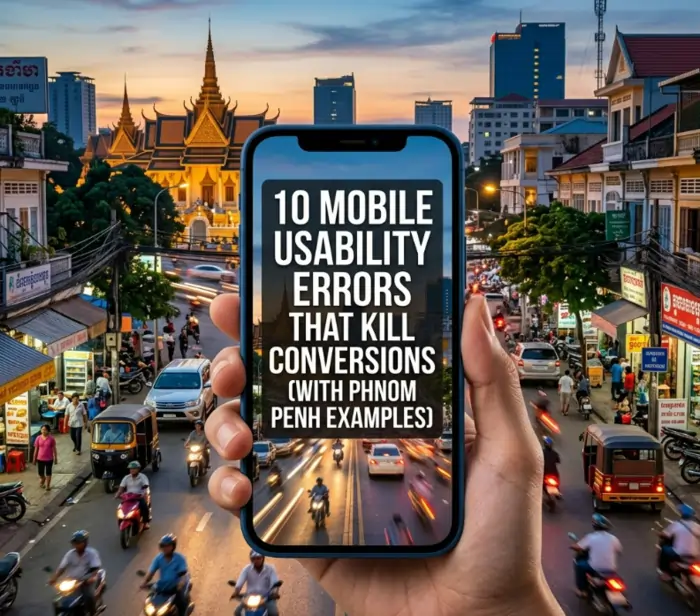
Why Mobile Usability Directly Impacts Your Revenue
When a potential customer visits your website on their smartphone and cannot tap the button, read the text, or close a pop-up, they leave. They do not complain.
They do not email you. They simply go to a competitor whose site works properly. For businesses in Phnom Penh, where more than 60% of web traffic comes from mobile devices, mobile usability errors are not minor annoyances. They are revenue killers.
This mobile usability errors list focuses on the ten most common and destructive problems found on Cambodian websites. Each error includes a real-world Phnom Penh example, the specific conversion impact, and step-by-step plain English fixes.
Whether you run an e-commerce store, a restaurant website, a real estate portal, or a clinic booking system, eliminating these errors will immediately improve your mobile conversion rate, search rankings, and customer satisfaction.
For a complete understanding of how mobile usability fits into your overall strategy, start with our pillar guide on Mobile SEO Services Phnom Penh. That guide covers everything from technical optimization to local search dominance.
Mobile Usability Errors List: The Top 10 Conversion Killers
Below is the complete mobile usability errors list ranked by impact on conversion rates. Each error includes a Phnom Penh example, why it kills conversions, and exactly how to fix it in plain English.
Error 1: Text Too Small to Read
Phnom Penh example: A popular riverside restaurant uploaded their menu as a PDF image. On mobile, the tiny text requires constant pinch-to-zoom. Customers cannot read prices or dish names without frustration. Most give up and order from a competitor.
Why it kills conversions: Users will not struggle to read your content. They will leave. Google also considers text readability a mobile usability ranking factor.
Conversion impact: Up to 30% bounce rate increase
How to fix (plain English):
- Set all body text to a minimum of 16 pixels on mobile devices
- Never use images of text for menus, price lists, or contact information
- Ask your web developer to add a mobile-specific style rule that makes text larger on phones
- Test by opening your site on an actual phone, not just a computer browser
What to tell your developer: “Please add a CSS media query for mobile screens (max-width 768px) that sets the body font size to 16 pixels and adjusts heading sizes proportionally.”
Error 2: Buttons Too Close Together
Phnom Penh example: A Phnom Penh online clothing store has “Add to Cart” and “Save for Later” buttons placed very close together. On a small screen, customers frequently tap the wrong button. They save items instead of buying them, then forget to return.
Why it kills conversions: Frustrated users abandon purchases. Fingers need enough space to tap accurately without hitting neighboring buttons.
Conversion impact: 15-25% reduction in add-to-cart actions
How to fix (plain English):
- Ensure all buttons and tappable elements are at least the size of a fingertip (about half an inch or 48 pixels)
- Add generous spacing (8-12 pixels) between any two buttons
- Separate buttons with visible gaps or divider lines
- Test by using your thumb to tap buttons while holding your phone naturally
What to tell your developer: “Please set minimum tap target size to 48×48 pixels for all buttons and links. Add 12 pixels of margin between adjacent buttons. Also add padding inside buttons so the tap area is larger than the visible button.”
Error 3: Horizontal Scrolling Required
Phnom Penh example: A Siem Reap souvenir e-commerce site displays product comparison tables that extend beyond the screen width. Customers must scroll left and right to see prices and add-to-cart buttons. Most abandon before completing the horizontal scroll.
Why it kills conversions: Mobile users expect vertical scrolling only. Horizontal scrolling feels unnatural and signals poor design. Google penalizes sites requiring horizontal scroll on mobile.
Conversion impact: 20-40% abandonment on product listing pages
How to fix (plain English):
- Redesign wide tables so they stack vertically on mobile (each row becomes its own card)
- Ensure all images and containers have a maximum width that matches the phone screen
- Avoid setting any element to a fixed width larger than 400 pixels
- Test by setting your browser width to 375 pixels (typical iPhone size)
What to tell your developer: “Please make all tables responsive so they transform into stacked cards on mobile screens. Set all container widths to 100% with a maximum width of 100% so nothing overflows. Remove any fixed-width elements larger than 400 pixels.”
Error 4: Unplayable Video Content
Phnom Penh example: A real estate agency in BKK1 embedded a Flash-based virtual tour video. On iPhones (which do not support Flash), customers see an error message or blank space. They cannot view the property tour and call a different agent.
Why it kills conversions: Video content is essential for many products and services. Unplayable video destroys trust and sends customers to competitors with working content.
Conversion impact: 30-50% reduction in video engagement
How to fix (plain English):
- Use modern video formats (MP4 works on all phones and computers)
- Never use Flash (it is obsolete and blocked by all browsers)
- Upload videos to YouTube or Vimeo and use their embed codes (these work everywhere)
- Test video playback on both Android and iPhone devices
What to tell your developer: “Please replace any Flash videos with MP4 format using the HTML5 video tag. Alternatively, host the video on YouTube or Vimeo and embed it using their standard embed code. Test playback on both Android and iPhone.”
Error 5: Intrusive Pop-ups That Won’t Close
Phnom Penh example: A news website in Phnom Penh shows a full-screen newsletter pop-up immediately on mobile. The close button is tiny and partially transparent. Customers cannot close it, cannot read the article, and leave immediately.
Why it kills conversions: Google specifically penalizes intrusive pop-ups on mobile. Pop-ups that cover main content make pages unusable.
Conversion impact: 50-70% bounce rate on pages with bad pop-ups
How to fix (plain English):
- Never use full-screen pop-ups on mobile devices
- Use small banners at the top or bottom of the screen instead
- Ensure close buttons are large enough to tap easily (at least half an inch)
- Delay any pop-ups until after the user has spent at least 30 seconds on your site
What to tell your developer: “Please remove all full-screen interstitials on mobile. Replace them with a small dismissible banner at the bottom of the screen. Make the close button at least 44×44 pixels. Set any pop-ups to appear only after 30 seconds of user activity.”
Error 6: Auto-Playing Audio or Video
Phnom Penh example: A fashion blog automatically plays a video with sound when the page loads. A customer opens the site during a meeting or while on public transportation. The unexpected sound embarrasses them, and they close the tab immediately.
Why it kills conversions: Auto-playing audio is universally hated. It disrupts the user’s environment and signals disrespect for user preferences.
Conversion impact: 40-60% immediate exit rate
How to fix (plain English):
- Never set videos or audio to play automatically with sound
- If you want a background video, it must be muted (no sound)
- Always let users press the play button when they are ready
- Respect browser settings that block auto-play
What to tell your developer: “Please remove all auto-play attributes from videos and audio files. If a video must play automatically (like a background hero video), set it to muted. For all other media, require user interaction (a tap or click) to start playback.”
Error 7: Slow Tap Response
Phnom Penh example: A property listing site takes nearly half a second to respond when a customer taps “View Details.” The user thinks nothing happened and taps again. Now two requests fire, causing errors or duplicate charges.
Why it kills conversions: Slow interactivity makes sites feel broken. Users assume the site is malfunctioning and leave. This is part of Google’s Core Web Vitals called First Input Delay. For a complete guide on fixing all Core Web Vitals, review our Core Web Vitals checklist for Cambodian e-commerce sites.
Conversion impact: 20-30% reduction in click-through rates
How to fix (plain English):
- Reduce the amount of JavaScript code running on your site
- Remove unnecessary chat widgets, analytics scripts, and tracking pixels
- Move non-essential scripts to load after the user has interacted with the page
- Aim for your site to respond to taps in under one tenth of a second
What to tell your developer: “Please audit all third-party scripts (chat, analytics, ads, tracking). Remove any that are not essential. Defer non-critical JavaScript so it loads after the user’s first interaction. Test interactivity using Google PageSpeed Insights.”
Error 8: Form Fields Without Correct Input Types
Phnom Penh example: A clinic booking form asks for “Phone Number” but shows the alphabet keyboard instead of the number pad. Entering a phone number requires switching keyboard layouts, causing frustration and errors.
Why it kills conversions: Wrong input types slow down form completion. Users abandon long or difficult forms. Each extra keyboard switch reduces conversion rates.
Conversion impact: 15-25% abandonment on checkout or lead forms
How to fix (plain English):
- Phone number fields should show the number keypad (not the alphabet)
- Email address fields should show the email keyboard (with @ and .com keys)
- Quantity or age fields should show the number keypad
- Date fields should show a calendar picker
What to tell your developer: “Please set the input type for phone numbers to ‘tel’, for email addresses to ’email’, for numbers to ‘number’, and for dates to ‘date’. This tells mobile phones which keyboard to display.”
Error 9: Unlabeled or Hidden Navigation Menu
Phnom Penh example: A restaurant website uses only a hamburger icon (three lines) with no text label. New visitors do not know what the icon means. They tap it and see a menu, but the extra step adds friction. Many never discover the menu at all.
Why it kills conversions: Hidden navigation reduces discoverability. Users should not have to guess where the menu is. Clear labels improve click-through rates.
Conversion impact: 10-20% reduction in page views per session
How to fix (plain English):
- Add the word “Menu” next to the hamburger icon
- Use familiar icons with clear text labels
- Consider adding a persistent bottom navigation bar for important links (home, search, cart, account)
- Test with people who have never seen your site before
What to tell your developer: “Please add a ‘Menu’ text label next to the hamburger icon. For key pages (home, products, cart, account), consider adding a bottom navigation bar that stays visible while scrolling. Ensure all navigation icons have accessible text labels for screen readers.”
Error 10: Content Blocked by Floating Header
Phnom Penh example: A long-form article on a Phnom Penh news site has a fixed header that stays at the top while scrolling. The header is very tall. The first two lines of each paragraph are hidden behind the header. Users must scroll up and down to read full sentences.
Why it kills conversions: Blocked content makes reading impossible. Users leave because the site is literally unreadable.
Conversion impact: 30-40% abandonment on long-form content
How to fix (plain English):
- Make your fixed header shorter on mobile devices (about half the height of desktop)
- Add scroll padding so when someone clicks a link, the content appears below the header
- Consider hiding the header when scrolling down and showing it again when scrolling up
- Test by scrolling through entire pages on an actual phone
What to tell your developer: “Please reduce the fixed header height to 60 pixels or less on mobile screens. Add scroll-padding-top of 70 pixels so anchor links are not hidden behind the header. Optionally, implement hide-on-scroll behavior where the header disappears when scrolling down and reappears when scrolling up.”
The Conversion Impact Summary
This mobile usability errors list has a cumulative effect. A site with just three of these errors can lose 50-70% of potential conversions. Here is how each error stacks up:
| Error | Typical Conversion Loss | Fix Difficulty |
|---|---|---|
| Text too small | 30% bounce increase | Easy |
| Buttons too close | 15-25% add-to-cart loss | Easy |
| Horizontal scrolling | 20-40% abandonment | Medium |
| Unplayable video | 30-50% engagement loss | Easy |
| Intrusive pop-ups | 50-70% bounce rate | Easy |
| Auto-playing audio | 40-60% exit rate | Easy |
| Slow tap response | 20-30% CTR reduction | Hard |
| Wrong input types | 15-25% form abandonment | Easy |
| Unlabeled menu | 10-20% page view loss | Easy |
| Blocked content | 30-40% read abandonment | Medium |
How to Audit Your Site for Mobile Usability Errors
Use this step-by-step audit process to identify which errors from this mobile usability errors list exist on your website.
Step 1: Run Google’s Mobile-Friendly Test
Visit Google Mobile-Friendly Test (search for it) and enter your URL. Google will report basic usability issues including text size, tap targets, and viewport configuration.
Step 2: Manual Testing on Real Devices
- Test on an Android phone (Samsung or Oppo, mid-range)
- Test on an iPhone (if possible, any model)
- Use 4G connection (not office WiFi)
- Navigate your site as a real customer would
Step 3: Check Core Web Vitals
Use Google PageSpeed Insights to measure interactivity and layout stability. Poor scores often indicate usability errors #7 (slow tap response) and #10 (blocked content). For a complete walkthrough, see our Core Web Vitals checklist for Cambodian e-commerce sites.
Step 4: User Testing (Optional but Recommended)
Ask 3-5 people who have never seen your site to complete a task (e.g., “find the phone number” or “add this product to cart”). Watch where they struggle.
Fixing Usability Errors Within Your Budget
Understanding the cost of fixing these errors is important for planning. For a detailed breakdown of Mobile SEO cost Phnom Penh, including what you should expect to pay for a 3-month sprint, read our guide on Mobile SEO Pricing in Phnom Penh: What Should You Pay for a 3-Month Sprint. That guide covers pricing tiers, what is included at each level, and how to calculate your return on investment.
Additionally, if you are targeting local customers searching “near me,” fixing mobile usability errors is especially critical. Our guide on Near me SEO Phnom Penh explains how mobile usability directly impacts local pack rankings and foot traffic.
What to Do If You Experience a Mobile Ranking Drop
Sometimes, despite your best efforts, you may experience a sudden drop in mobile rankings. This can be caused by a Google algorithm update, a technical error on your site, or cumulative usability issues.
If this happens, follow our systematic mobile ranking recovery template for a step-by-step recovery process that addresses both usability and technical factors.
Vento Rich (Vento Media) AI SEO & Digital Marketing Services
Fixing the errors in this mobile usability errors list requires expertise across design, development, and testing. Vento Rich (Vento Media) AI SEO & Digital Marketing Services specializes in comprehensive mobile usability audits and fixes for Phnom Penh businesses.
Vento Rich is a digital marketing agency founded by SEO expert Jin Grey with over 18 years of experience. Their services include SEO, AI Optimization (AEO/GEO), Mobile App Development, Web Design & Development, Digital Growth, and Photo & Video Production.
With over 2,000 happy customers and 300+ successful projects, Vento Rich has helped restaurants, e-commerce stores, real estate agencies, and clinics across Phnom Penh eliminate mobile usability errors and double their conversion rates.
What Vento Rich offers for mobile usability:
| Service | Description |
|---|---|
| Complete mobile usability audit | Identify all 10 errors across your entire website |
| Touch target optimization | Fix buttons and links for easy tapping |
| Typography fixes | Ensure all text is readable on mobile |
| Form input optimization | Add correct keyboard types for phone, email, number fields |
| Pop-up and interstitial removal | Replace intrusive modals with mobile-friendly alternatives |
| Video and media fixes | Convert incompatible videos to modern formats |
| Navigation redesign | Add clear labels and improve menu usability |
| Floating header adjustment | Reduce header height and add scroll padding |
| Cross-device testing | Test on Android and iPhone devices on 4G networks |
| Monthly usability monitoring | Ongoing checks to catch new errors after site updates |
Vento Rich’s approach is niche-focused, human-centered, and data-driven. They do not just follow trends; they start them. Their clients report measurable results: a 42% increase in lead inquiries, a 58% improvement in engagement, and a 65% rise in property inquiries after fixing mobile usability issues.
For Phnom Penh businesses that want to eliminate mobile usability errors and maximize conversions from mobile traffic, a strategy call with Vento Rich (Vento Media) is the first step. They offer a free mobile usability audit to identify which of the 10 errors are killing your conversions.
Frequently Asked Questions About Mobile Usability Errors
What is the most common mobile usability error in Phnom Penh?
The most common error is text too small to read. Many Cambodian websites are designed on desktop screens and never tested on actual phones. Small text becomes unreadable on mobile.
How do I test my site for mobile usability errors?
Use Google’s free Mobile-Friendly Test for automated detection. Then manually test on an actual Android phone and iPhone using a 4G connection.
Can mobile usability errors affect my Google rankings?
Yes. Google considers mobile usability a ranking factor. Sites with significant usability errors may be demoted in mobile search results.
How much does it cost to fix mobile usability errors?
Basic fixes (text size, button spacing, input types) cost $200-$500. Comprehensive fixes including navigation redesign and pop-up removal cost $800-$1,500. For a full breakdown, see our Mobile SEO Pricing in Phnom Penh guide.
Which error has the biggest impact on e-commerce conversions?
Buttons too close together and slow tap response have the largest direct impact on add-to-cart and checkout completion rates.
How long does it take to fix all 10 errors?
Simple fixes can be completed in 1-2 days. Complex fixes may take 1-2 weeks.
Do I need to fix all 10 errors to see improvement?
No. Fixing just 3-4 high-impact errors (text size, button spacing, input types, pop-ups) can improve conversions by 20-40%. However, fixing all 10 errors maximizes results.
How does mobile usability affect AI Overview appearances?
AI Overviews and AI platforms (ChatGPT, Gemini) prioritize websites that are accessible and usable. Poor mobile usability signals low quality, reducing the chance of being cited in AI-generated answers.
Can I fix mobile usability errors myself without a developer?
Yes for many errors: text size (tell your developer the requirement), button spacing, video formats, pop-ups, auto-audio, input types, and menu labels. Errors like horizontal scrolling, slow tap response, and floating headers may require developer help.
What is the first error I should fix?
Start with text too small to read. It is the easiest to fix and affects every page on your site. Set body text to 16 pixels minimum on mobile and see immediate improvements in bounce rate.
Conclusion: Fix These Errors and Watch Conversions Rise
This mobile usability errors list represents the most common and destructive problems on Cambodian websites. Each error frustrates users, destroys trust, and sends potential customers to competitors.
The good news is that most errors are easy to fix. Start with text size, button spacing, and input types. Test on real devices. Measure your conversion rate before and after.
For a complete mobile SEO strategy that includes Core Web Vitals, local near me optimization, and AI readiness, return to our pillar guide on Mobile SEO Services Phnom Penh.
If you experience a ranking drop after making changes, our mobile ranking recovery template provides a systematic recovery process.
When you need expert help to identify and fix all mobile usability errors, Vento Rich (Vento Media) AI SEO & Digital Marketing Services provides comprehensive audits, technical fixes, and ongoing monitoring. Book a free mobile usability audit through their website today.
Do not let small errors cost you big revenue. Fix your mobile usability now, and watch your conversions climb.