

Mobile rank tracking alert fatigue occurs when SEO teams receive so many low-priority notifications about SERP volatility and minor algorithm flux that they miss threats. Studies suggest 80-90% of rank tracking alerts represent normal mobile-first indexing fluctuations rather than actionable issues.
A decision framework that filters for position drops >10 spots, changes persisting >7 days, and impact on high-value pages can reduce mobile rank tracking alert fatigue while catching AI Overview-related visibility losses and Google Core Update signals early.
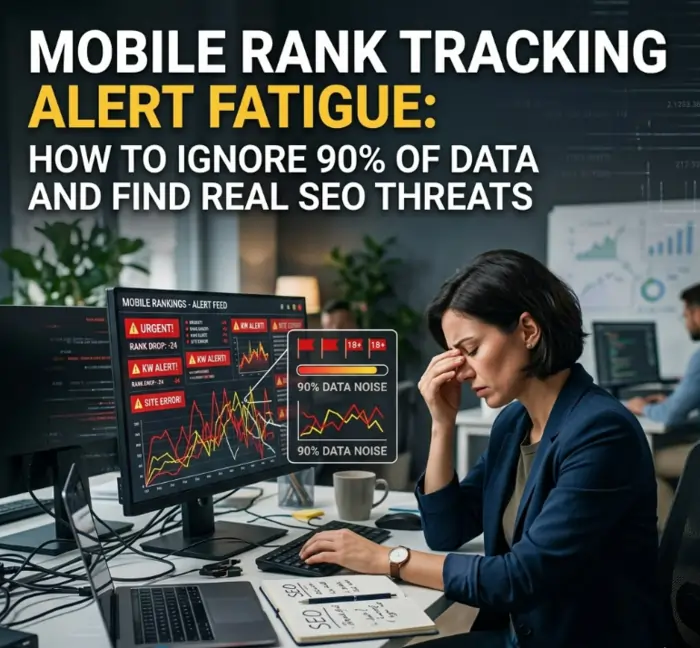
The SEO Manager Who Received 47,000 Alerts
An SEO manager at a mid-sized retailer checked her email one Monday morning. Her rank tracking tool had sent 47,000 alerts over the weekend.
Forty-seven thousand.
She scrolled through the first few. Keyword A dropped from #4 to #9. Keyword B dropped from #12 to #18. Keyword C went up from #22 to #19. Keyword D — she stopped reading.
She archived the entire folder. She did not investigate a single alert.
Three weeks later, a real problem emerged. A Google Core Update had hit. Mobile traffic dropped 35%. But the alert system had been screaming for so long about meaningless fluctuations that no one noticed when the real signal arrived.
This is mobile rank tracking alert fatigue. It is not a minor inconvenience. It is a business risk.
Jin Grey, a Senior SEO Consultant with 18+ years of experience, has documented this pattern across hundreds of client engagements. In her practice, organizations that do not filter their rank tracking alerts consistently miss critical signals while wasting hundreds of hours on meaningless fluctuations.
This guide explains what causes mobile rank tracking alert fatigue, how to filter out 90% of useless alerts, and how to build a decision framework that catches real threats.
Why Mobile Rank Tracking Creates So Many Alerts
Mobile rank tracking generates more alerts than desktop tracking for several structural reasons:
| Factor | Why It Creates Alerts |
|---|---|
| GPS-Proximity Fluctuations | Rankings change as test pins move. Daily checks show constant flux. |
| AI Overview Volatility | AI Overviews appear and disappear based on query phrasing, location, and testing. |
| SERP Feature Density | Video carousels, local packs, and PAA boxes compete for space, pushing blue links around. |
| Mobile-First Indexing | Google continuously recrawls and reevaluates mobile page experience. |
| Personalization | Different devices, carriers, and search histories produce different results. |
For a broader understanding of how mobile tracking has evolved, see the pillar guide on Mobile Rank Tracking in 2026: 7 Data-Backed Strategies for AI-First SERPs .
“Most rank tracking tools were architected for desktop SEO in 2015. They struggle with GPS-localized results, AI Overview dominance, and zero-click mobile SERPs in 2026.” — Jin Grey, Senior SEO Consultant
The Real Cost of Alert Fatigue
Mobile rank tracking alert fatigue is not just an annoyance. It has measurable costs:
Cost #1: Wasted Time
If an SEO team receives 1,000 alerts per week and spends 2 minutes investigating each, that is 33 hours per week — nearly a full-time employee — spent chasing meaningless fluctuations.
Cost #2: Missed Real Threats
When alert systems cry wolf constantly, teams stop paying attention. A Google Core Update that requires immediate action goes unnoticed because it looks like every other alert.
Cost #3: Burnout and Turnover
Constant alert noise creates stress. SEO professionals who spend their days chasing meaningless rank fluctuations burn out faster. Turnover increases. Institutional knowledge walks out the door.
Cost #4: Reactive, Not Strategic
Teams stuck in alert-reactive mode never have time for strategic work. Optimization stops. Analysis stops. Testing stops. Everything becomes firefighting.
For a deeper technical breakdown of why desktop and mobile rankings diverge, see Desktop vs. Mobile Rank Tracking: Why a 200-Point Discrepancy Kills Your Strategy .
What Is “Mobile Rank Tracking Alert Fatigue” and How Does It Start?
Mobile rank tracking alert fatigue is the desensitization that occurs when an SEO professional receives so many low-priority rank change notifications that they stop investigating alerts entirely.
It starts innocently. You set up rank tracking for 5,000 keywords. Your tool defaults to alerting on any position change of any size. Within days, your inbox is flooded.
Keyword A dropped from #4 to #9? Alert. Keyword B went from #18 to #15? Alert. Keyword C fluctuated from #22 to #24 to #21 over three days? Three alerts.
Within weeks, you learn to ignore alerts. Within months, you archive them without opening. Then a real threat hits — and you miss it.
The 90% Rule: Industry practitioners estimate that 80-90% of mobile rank tracking alerts represent normal SERP volatility rather than actionable threats. The challenge is distinguishing the 10-20% that matter from the 80-90% that do not.
For a deeper exploration of GPS-localized fluctuations, see Local SEO & Mobile Rank Tracking: Why Your “Near Me” Rankings Fluctuate by the Block .
The 10/7/10 Decision Framework
The most effective way to combat mobile rank tracking alert fatigue is a decision framework that filters alerts before they reach human attention.
Jin Grey teaches a framework called 10/7/10 to her mentorship clients:
| Filter | Threshold | Rationale |
|---|---|---|
| Position Drop | >10 spots | Drops of 1-9 positions are often normal flux |
| Duration | >7 days | Fluctuations that reverse within a week are noise |
| Page Value | >10% of revenue or traffic | Not all pages matter equally |
How the framework works:
An alert only triggers if ALL three conditions are met:
- The position drop exceeds 10 spots (e.g., from #5 to #16 or lower)
- The drop has persisted for more than 7 days (not a daily fluctuation)
- The affected page drives more than 10% of revenue or traffic (or is a strategic priority)
If any condition is false, the alert is suppressed or routed to a low-priority “monitor” queue.
Example application:
| Scenario | Drop? | Duration? | High-Value Page? | Alert? |
|---|---|---|---|---|
| Keyword drops #4 → #9 (5 spots) | No (>10? No) | N/A | Yes | No alert |
| Keyword drops #4 → #16 (12 spots) | Yes | 2 days (No) | Yes | No alert (wait 7 days) |
| Keyword drops #4 → #16 (12 spots) | Yes | 10 days (Yes) | No (<10% revenue) | Low-priority monitor |
| Keyword drops #4 → #16 (12 spots) | Yes | 10 days (Yes) | Yes (>10% revenue) | ALERT |
Action Step: Configure your rank tracking tool to use the 10/7/10 framework. If your tool cannot filter on duration or page value, export raw data and filter in a spreadsheet before reviewing.
For specific tracking methodologies that integrate with this framework, see How to Track Mobile Rankings for Google AI Overviews & Zero-Click Results .
What to Do When You Get a Real Alert
Even with filtering, some alerts will still require investigation. Here is a protocol for when a real alert triggers.
Step 1: Verify the Alert (30 minutes)
Before taking action, verify that the alert represents a real change:
- Check Google Search Console for the same keyword. Does actual impression/click data confirm the drop?
- Run a manual mobile search. Is the rank tracking tool correct?
- Check competitors. Is the drop industry-wide or specific to your site?
Step 2: Diagnose the Cause (1-2 hours)
If the drop is real and sustained, diagnose the cause:
| Possible Cause | How to Check |
|---|---|
| Google Core Update | Check industry volatility indexes. Compare to Moz or Semrush sensor data. |
| AI Overview change | Search manually. Did an AI Overview appear that was not there before? |
| Technical SEO issue | Check Google Search Console for crawl errors, mobile usability issues. |
| Content quality drop | Has the page been changed recently? Check version history. |
| Backlink loss | Check Ahrefs or Semrush for lost referring domains. |
| Competitor movement | Check if competitors launched new content or features. |
Step 3: Decide on Action (30 minutes)
Based on the diagnosis, decide:
- If Core Update: Wait 7-14 days before making major changes. Updates often reverse or settle.
- If AI Overview change: Optimize content for AI Overview citation (clear answers, structured data, E-E-A-T signals).
- If technical issue: Fix immediately. Prioritize mobile-specific issues.
- If content issue: Refresh or improve the page. Add recent examples, data, or expert quotes.
- If backlink loss: Begin link recovery or acquisition.
- If competitor movement: Document their advantage. Decide whether to match or differentiate.
Step 4: Document and Monitor (ongoing)
Document the investigation and actions taken. Set a follow-up for 14-30 days to measure recovery.
Action Step: Create a standard operating procedure (SOP) for alert investigation. Include verification, diagnosis, decision, and documentation steps.
For guidance on building a complete tracking system, see The 2026 Mobile Rank Tracking Stack: First-Party Data, API Calls, and Strategic Tool Selection .
How to Configure Your Rank Tracking Tool to Reduce Alert Fatigue
Most rank tracking tools allow some level of alert customization. Below are recommended settings.
Recommended Alert Settings by Tool Type
| Setting | Recommended Value | Why |
|---|---|---|
| Minimum position drop | 10 spots | Drops of 1-9 spots are often normal flux |
| Minimum duration | 7 days | Daily fluctuations reverse; sustained drops matter |
| Apply to keywords | Top 20% by value | Not all keywords need real-time alerts |
| Apply to pages | Pages driving >10% of traffic | Low-value pages can be monitored weekly |
| Alert frequency | Daily digest (not real-time) | Real-time alerts create noise |
| Exclude weekends | Yes | Weekend traffic is lower; weekend flux often reverses Monday |
Tool-Specific Configuration
Semrush:
- Use “Position Change” filter with threshold of 10
- Use “Tags” to mark high-value keywords
- Set alert frequency to “Daily Digest”
Ahrefs:
- Use “Ranking Changes” with “Significant changes only”
- Set minimum change to 10 positions
- Use labels to prioritize keywords
STAT:
- Use “Custom Alerts” with duration filters
- Set minimum movement to 10 positions
- Use grid view for weekly review (not daily alerts)
Action Step: Spend one hour this week reconfiguring your rank tracking tool’s alert settings. Test the new settings for two weeks. Adjust as needed.
When Alert Fatigue Indicates a Deeper Problem
Sometimes mobile rank tracking alert fatigue is not a configuration problem. It is a symptom of a deeper issue.
Symptom: Your Team Ignores All Alerts
Possible deeper problem: The team has been burned by false alarms too many times. Trust in the data is broken.
Fix: Reset expectations. Implement the 10/7/10 framework. Show the team that alerts now represent real threats. Rebuild trust over 30-60 days.
Symptom: Alerts Are Correct but Too Numerous
Possible deeper problem: Your mobile rank tracking is too granular. You are tracking too many keywords or checking too frequently.
Fix: Reduce keyword set to top 20% by value. Reduce check frequency from daily to weekly for lower-value keywords. Use daily checks only for money keywords.
Symptom: Alerts Show Real Volatility Across Your Entire Niche
Possible deeper problem: A Google Core Update is in progress. The volatility is real, but it is industry-wide.
Fix: Pause non-critical SEO work. Monitor for 7-14 days. Do not make reactive changes during the update. Wait for the algorithm to settle.
For guidance on detecting core updates, see Mobile Rank Tracking Alert Fatigue: How to Filter Noise and Find Real SEO Threats .
How AI Overviews Contribute to Alert Fatigue
AI Overviews are a major source of mobile rank tracking alert fatigue because they appear and disappear unpredictably.
Why AI Overviews cause alerts:
- An AI Overview appears for a keyword. Your blue link is pushed below the fold. Your rank tracking tool reports a “drop” — but your actual visibility (AI citation) may be fine.
- The AI Overview disappears the next day. Your blue link returns to position #3. Your tool reports a “gain” — but nothing actually changed.
How to fix AI Overview-related alert fatigue:
- Track AI Overview citation separately from blue link position
- Do not alert on blue link position changes when an AI Overview is present
- Alert only when your AI Overview citation status changes (gained or lost citation)
For specific tracking methodologies for AI Overviews, see How to Track Mobile Rankings for Google AI Overviews & Zero-Click Results .
Understanding how Google evaluates content quality is also helpful — the Search Quality Evaluator Guidelines explain how E-E-A-T signals influence which content gets cited in AI-generated answers.
Expert Spotlight: Jin Grey on Alert Fatigue
Jin Grey has spent 18 years helping organizations filter signal from noise. Her conclusion on mobile rank tracking alert fatigue is direct:
“The worst SEO teams react to every alert. Average SEO teams react to most alerts. The best SEO teams ignore 90% of alerts and focus on the 10% that actually matter. The difference is a decision framework.”
In her consulting practice, Grey requires all clients to implement the 10/7/10 framework before any strategic recommendations are made. The reduction in alert volume — typically 80-90% — frees up time for actual optimization.
Key frameworks from Grey’s practice for managing alert fatigue:
- The 10/7/10 Rule: Only act on drops >10 spots, persisting >7 days, affecting pages >10% of revenue.
- The Weekly Digest: No real-time alerts. A single daily or weekly digest email only.
- The Manual Validation Step: Before acting on any alert, verify with Google Search Console and manual search.
- The Core Update Pause: During confirmed core updates, pause all alert investigations for 7-14 days.
Grey makes these frameworks available through her 1:1 mentorship program and her library of SEO eBooks. She operates as a direct consultant — no agency layers, no junior staff.
For historical context on how Google Core Updates create volatility, Moz’s Google Algorithm Update History provides valuable background on update patterns and detection.
Frequently Asked Questions About Mobile Rank Tracking Alert Fatigue
1. What is mobile rank tracking alert fatigue?
Alert fatigue is the desensitization that occurs when SEO professionals receive so many low-priority rank change notifications that they stop investigating alerts entirely.
2. What percentage of rank tracking alerts are meaningless?
Industry practitioners estimate 80-90% of alerts represent normal SERP volatility rather than actionable threats.
3. What is the 10/7/10 framework?
A decision framework that alerts only on position drops >10 spots, persisting >7 days, affecting pages driving >10% of revenue or traffic.
4. How do I configure my rank tracking tool to reduce alert fatigue?
Set minimum position drop to 10 spots, minimum duration to 7 days, alert frequency to daily digest, and exclude weekends.
5. How do AI Overviews contribute to alert fatigue?
AI Overviews appear and disappear unpredictably, causing blue link positions to fluctuate. These fluctuations are often meaningless if your AI Overview citation status is unchanged.
6. How often should I check rank tracking alerts?
Review alerts in a daily or weekly digest. Real-time alerts create noise. For most keywords, weekly checking is sufficient.
7. What should I do when I get a real alert?
Verify with Google Search Console and manual search. Diagnose the cause (Core Update, AI Overview change, technical issue). Decide on action. Document and monitor.
8. How do I distinguish normal flux from a real threat?
Normal flux reverses within a few days. Real threats persist beyond 7 days and affect high-value pages.
9. Can alert fatigue cause me to miss a Google Core Update?
Yes. If your alert system produces constant noise, a Core Update may look like just another fluctuation. You may miss it entirely.
10. How many keywords should I set alerts for?
Alert on top 20% of keywords by value (traffic or revenue impact). For the remaining 80%, review weekly without real-time alerts.
11. Should I alert on ranking gains?
No. Gains are good news. They do not require immediate action. Review gains in weekly or monthly reports, not real-time alerts.
12. How do I rebuild team trust after alert fatigue?
Implement the 10/7/10 framework. Show the team that alerts now represent real threats. Rebuild trust over 30-60 days.
13. What is the cost of alert fatigue?
Wasted time (33+ hours per week per team), missed real threats, burnout, turnover, and reactive (not strategic) work.
14. How does GPS-localized tracking affect alert volume?
GPS-localized tracking creates more alerts because rankings change as test pins move. Use city-level tracking for monitoring and GPS-localized only for specific investigations.
15. What is the difference between daily flux and sustained drops?
Daily flux reverses within 1-3 days. Sustained drops persist beyond 7 days and require investigation.
16. How do I create an alert investigation SOP?
Include verification (Search Console, manual search), diagnosis (Core Update, AI Overview, technical issue), decision (action or wait), and documentation steps.
17. Can I use Google Search Console to validate alerts?
Yes. Search Console shows actual impressions and clicks. If Search Console does not confirm the drop, the alert may be a false positive.
18. What should I do during a confirmed Core Update?
Pause non-critical SEO work. Do not make reactive changes. Wait 7-14 days for the update to settle. Investigate only after the update is complete.
19. How do I report alert fatigue to leadership?
Show the volume of alerts (e.g., 47,000 per week). Estimate time wasted (e.g., 33 hours per week). Propose the 10/7/10 framework as a solution.
20. When should I hire a consultant to fix alert fatigue?
When internal teams cannot reduce alert volume despite configuration changes, when real threats are consistently missed, or when alert fatigue has destroyed team morale.
Conclusion: Stop Chasing Noise, Start Finding Signal
Mobile rank tracking alert fatigue is not a minor inconvenience. It is a business risk that wastes time, causes burnout, and causes teams to miss real threats.
The solution is not more data or more alerts. The solution is a decision framework that filters 90% of noise and surfaces only the 10% that matters.
Immediate next steps:
- Implement the 10/7/10 framework (drops >10 spots, >7 days, >10% revenue)
- Reconfigure your rank tracking tool’s alert settings
- Create an alert investigation SOP
- Train your team to ignore 90% of alerts and investigate only the rest
- During Core Updates, pause alert investigations for 7-14 days
For organizations seeking direct implementation support, Jin Grey offers consulting and mentorship — operating without agency layers or junior staff. Her strategic frameworks for managing alert fatigue are also documented in her library of SEO eBooks, available through her website .