

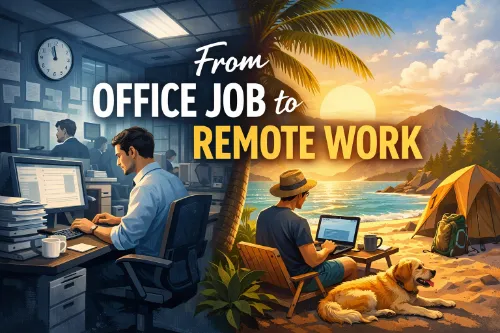
Moving from an office to remote work is one of the biggest lifestyle and career shifts you can make—but with the right plan, it can be smooth and sustainable rather than chaotic. This guide walks you through that transition step‑by‑step, with external resources you can use for deeper guidance and practical tools.
Many professionals dream of ditching the commute and working from anywhere, but they’re unsure how to actually make the shift from an office job to remote work. The good news: people make this transition every day, and the patterns are surprisingly consistent—intentional skills development, deliberate networking, and a structured personal plan.
Articles like From Office to Online: How to Transition to a Fully Remote Career show that successful remote transitioners share several traits: they prepare strategically, document their value, and change their routines gradually instead of making a sudden leap. Meanwhile, guides such as How to transition from onsite to remote work emphasize practical adjustments—like creating a dedicated workspace, setting boundaries, and learning new tools—that help you thrive once you land a remote role.
1. Decide What “Remote” Actually Means for You
“Remote work” is a broad term. It can mean working from home a few days a week, being fully remote in your current country, or working cross‑border as a digital nomad. Before you start applying for roles, you need to define what you want.
The We Work Remotely guide on transitioning to remote work smoothly suggests starting with clarity around your ideal schedule, time zone, and level of flexibility, then designing your routines and toolset around that vision. Similarly, the Nomad Excel article on going from office to online highlights that people who succeed in fully remote or location‑independent careers tend to make intentional choices around lifestyle, not just work.
Ask yourself:
- Do I want a full‑time remote job, a hybrid role, or freelance/contract work?
- Do I need to stay in my current time zone, or can I work across time zones?
- Am I looking for long‑term stability, or am I open to gigs and projects?
Your answers will shape your job search strategy, the platforms you use, and the skills you prioritize.
2. Understand What Skills Office to Remote Work Employers Actually Look For
Remote employers don’t just want someone who can do the core job; they want someone who can do it independently, communicate clearly, and use remote‑friendly tools.
A LinkedIn post on How to switch from onsite to remote work successfully recommends focusing on four areas:
- Proficiency with remote tools (Zoom, Google Workspace, Trello, Asana).
- Strong written communication and responsiveness.
- Evidence of independent work and self‑management.
- An online presence (especially LinkedIn) that signals you’re “remote ready.”
Indeed’s onsite‑to‑remote transition guide adds general skills like time management, goal‑setting, and ongoing learning as key to remote success. Before you jump, make a list of the skills you already have that translate well (e.g., project management, client communication) and the skills you need to develop (e.g., remote tools, asynchronous collaboration).
3. Build a Starter Remote Skill Set (Tools + Habits)
You’ll feel much more confident applying for remote roles if you’re already comfortable with core tools and habits. A widely shared LinkedIn guide, Essential Tools for Remote Work: Slack, Notion, Asana, Zoom, Trello, breaks down five must‑know tools:
- Slack – quick team chats and organized conversations.
- Notion – a digital workspace for notes, wikis, project docs.
- Asana – project management for tasks, deadlines, and team progress.
- Zoom – virtual meetings and video calls.
- Trello – visual boards for tracking projects and workflows.
Buffer, one of the best‑known remote‑first companies, shares their own stack in 12 Essential Remote Work Tools We’re Using at Buffer Every Day, highlighting tools like Zoom for video, Notion for handbooks, Threads for discussion, and Dropbox Paper for real‑time collaboration.
To level up quickly:
- Sign up for free or trial versions of these tools and practice using them daily.
- Explore Asana’s remote work integrations to understand how tools connect (Slack + Asana, Teams + Asana, etc.).
- Join an online community or small volunteer project that uses these tools so you can build real‑world experience.
Alongside tools, start practicing remote habits: writing clear updates, documenting your work, and managing your day with a calendar and task list.
4. Redesign Your Workday: Routines, Boundaries, and Environment
Switching from an office to remote isn’t just a job change; it’s a lifestyle change. Without a commute and with fewer physical cues, you have to create your own structure.
Indeed’s how to transition from onsite to remote work guide offers 20 practical tips, including:
- Create a designated workspace and keep it clean.
- Build a daily schedule with start and end times.
- Limit distractions and turn off non‑essential notifications.
- Plan breaks and “mental commute” rituals to switch off after work.
The We Work Remotely article on How To Transition To Remote Work Smoothly emphasizes the importance of routines and time blocking. They recommend setting consistent hours, using task lists or calendars, and productivity methods like the Pomodoro Technique to stay focused and prevent work from bleeding into your personal life.
A Philippine‑focused guide, Here’s How You Can Smoothly Transition From an Office Job to Remote Work, adds tips like creating a dedicated workspace with natural light, setting clear boundaries with family, and mentally “clocking out” after hours. These steps are especially relevant if you’re shifting within the same home or city.
5. Learn from Remote‑First Companies (GitLab, Buffer, etc.)
If you want to understand what “good remote” looks like, study companies that have been remote from day one. GitLab and Buffer are two of the most documented examples.
GitLab’s Guide to All-Remote explains what all‑remote work means and how they built a team across 65+ countries. Their Remote Manifesto promotes values like:
- Hiring and working from anywhere.
- Flexible working hours over strict schedules.
- Writing things down and recording knowledge.
- Asynchronous communication over meetings.
- Results and impact over activity and “looking busy.”
GitLab’s guide also covers meeting best practices, text‑based communication skills, and strategies for combating burnout in distributed teams. Even if you’re an individual contributor, adopting some of these habits (writing things down, working async‑friendly, focusing on outcomes) will make you more attractive to remote employers.
Buffer’s Everything We Know About Remote Work dives into their tools, communication norms, and culture, including how they use Zoom, Notion, Threads, and culture platforms to keep a global team aligned. Reading these playbooks gives you a model of what high‑functioning remote work looks like—and the behaviors hiring managers will expect.
6. Make Yourself Discoverable as a Remote Candidate
Landing a remote job isn’t just about applying; it’s also about making it easy for recruiters and clients to find you.
The LinkedIn post on switching from onsite to remote work successfully recommends:
- Updating your resume to highlight independent work, remote‑friendly tasks, and remote tools.
- Adding keywords like “remote,” “virtual,” and “distributed team” in your LinkedIn headline and about section.
- Demonstrating remote communication by being responsive, clear, and proactive in messages and emails.
Nomad Excel’s From Office to Online also emphasizes documenting and showcasing your value—through LinkedIn posts, a personal website, or a portfolio of remote‑friendly work (e.g., case studies, dashboards, campaigns). This “value documentation” helps bridge the trust gap when employers can’t meet you in person.
7. Start Your Remote Transition Before You Quit
If you’re currently in an office job, the smoothest path is to start preparing for remote work before you leave.
Nomad Excel identifies several common success patterns among people who transition successfully:
- Intentional skill development specifically for remote roles.
- Strategic relationship building in remote‑friendly communities.
- Documenting contributions and capabilities in a visible way.
- Gradual changes rather than abrupt, overnight switches.
You can apply these patterns by:
- Asking for occasional work‑from‑home days to practice remote routines and tools.
- Taking on projects that require async collaboration or working with colleagues in other locations.
- Joining online communities (Reddit threads like r/buhaydigital, Facebook groups, LinkedIn groups) where remote workers share opportunities and tips.
By the time you start actively applying for remote roles, you’ll already have stories and evidence that you can handle this style of work.
8. Understand Legal, Tax, and Cross‑Border Issues (If Working Internationally)
If your goal is to work remotely across borders (e.g., for a foreign employer or as a digital nomad), you do need to think beyond laptops and coffee shops.
The law firm Frühbeck Abogados explains in Cross-Border Remote Work: Tax and Employment Law Implications that long‑term remote arrangements can trigger complex legal challenges around taxation, social security, and corporate presence. For example:
- Working from a country where your employer has no legal entity may create “permanent establishment” risks for the company.
- You could face double taxation if treaties aren’t in place or properly applied.
- Social security and pension entitlements may shift depending on where you’re considered resident.
Similarly, IRIS Global’s Cross-Border Remote Work: Tax & Compliance Challenges warns that even seemingly simple decisions—like spending a few months working from another country—can have serious tax and compliance consequences if not structured correctly.
If you’re considering cross‑border remote work, it’s wise to:
- Talk to your employer’s HR/legal team about policies.
- Consult a tax advisor or lawyer who understands international remote work.
- Clarify where you’ll be tax‑resident and how social security will be handled.
For purely domestic remote roles, these issues are simpler, but you should still check your local labor and tax rules.
9. Prepare for the Psychological Shift
Working remotely changes how your day feels—no commute, fewer in‑person interactions, and more responsibility for managing your time and energy.
Indeed’s transition guide advises being patient with yourself and learning to embrace independence, reminding readers that it takes time to adjust to new routines, tools, and expectations. Virtual Coworker’s article emphasizes boundaries and mental health, including “disconnecting” after work, making a mental commute, and keeping communication lines open with managers to avoid isolation.
We Work Remotely’s smooth transition article suggests joining remote communities and finding other remote workers to talk to, so you don’t feel like you’re doing this alone. Remote‑friendly companies like GitLab and Buffer put significant focus on informal communication and virtual “water cooler” spaces—something you can look for when evaluating employers.
10. Put It All Together: A Practical Transition Plan
You can combine the best practices from these resources into a simple roadmap for moving from an office job to remote work:
- Clarify your remote goal. Use insights from From Office to Online and We Work Remotely’s transition guide to decide whether you want full‑time remote employment, hybrid, or freelance work—and what time zones, schedules, and travel patterns fit your life.
- Audit and build key skills. Follow Indeed’s onsite‑to‑remote guide and LinkedIn’s toolkit post to identify gaps in tools, communication, and self‑management, then practice with platforms like Slack, Notion, Asana, Zoom, and Trello.
- Design your remote routines and workspace. Apply practical tips from Virtual Coworker’s transition guide and We Work Remotely to set up a dedicated workspace, daily schedule, boundaries, and break routines.
- Learn from remote‑first leaders. Study GitLab’s Guide to All-Remote and Buffer’s remote work resources and tools to see how great remote cultures operate, then adopt their best practices around documentation, async communication, and outcome‑based work.
- Optimize your profile for remote roles. Implement LinkedIn’s advice on switching from onsite to remote work successfully by updating your resume, headline, and About section with remote‑relevant keywords, tools, and achievements.
- Test and transition gradually. Use patterns from From Office to Online—like incremental changes, relationship building, and value documentation—while you’re still in your office job, so your eventual move feels like a natural next step.
- Handle legal and tax issues if going cross‑border. If your remote plans involve working from another country, read Frühbeck’s guide to cross-border remote work and IRIS Global’s tax & compliance overview and get professional advice.
With these pieces in place, moving from an office job to remote work becomes less of a risky leap and more of a strategic, step‑by‑step transition.