

Trying to figure out which business productivity software 2026 is worth your attention? This guide breaks productivity tools into clear categories—focus and time management, project and work management, collaboration and meetings, automation and AI assistants, and personal productivity apps—so you can choose what truly supports your work instead of adding more noise.
You’ll also see how these tools connect to your business technology stack 2026, your cloud based business tools 2026, and your AI powered business platforms so everything works together.
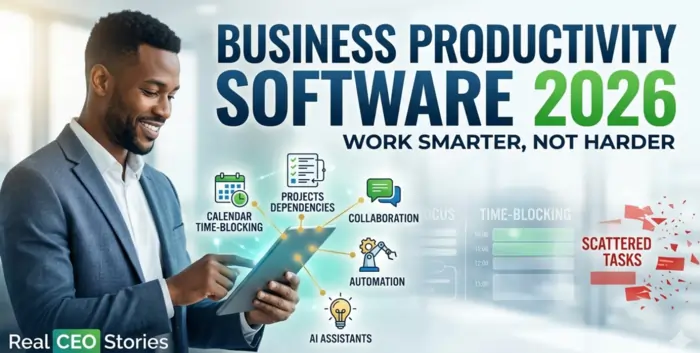
In 2026, you don’t need more software—you need your existing tools to help you focus, finish, and follow through. Business productivity software is not just about pretty dashboards; it’s about protecting your time, attention, and energy so you and your team can do your best work consistently.
This guide shows you which types of productivity tools actually move the needle, how they fit into your existing tech stack, and how to use them without overwhelming your team.
What “Business Productivity Software” Really Means In 2026
Business productivity software is anything that helps you do more of the right work in less time—with fewer errors and less stress. It’s not one magic app; it’s a set of tools that make it easier to prioritize, collaborate, and execute.
For most small and growing businesses, that includes:
- Project and task management tools.
- Time, focus, and scheduling helpers.
- Collaboration and meeting tools with smart features.
- Automation and AI assistants that remove repetitive work.
- Personal productivity apps that keep individuals organized.
You can think of this article as the “how we actually work every day” layer that sits on top of the core tools from Must Have Software for Small Business and Essential SaaS Platforms for Companies.
How Productivity Tools Fit Into Your Tech Stack
Productivity software doesn’t replace your CRM, accounting, or marketing systems—it wraps around them and makes them easier to use.
In your Business Technology Stack 2026, productivity tools sit across several layers:
- Operations and project management (planning and executing work).
- Collaboration and communication (keeping everyone aligned).
- Analytics, AI, and automation (removing low‑value tasks).
- Support and service (making responses faster and more consistent).
If you’ve already outlined your main tools, this page helps you choose which productivity apps are worth adding on top instead of grabbing every “shiny” app you see.
Focus And Time Management Tools
Focus tools help you protect your attention in a world of constant notifications, meetings, and pings. Used well, they can turn scattered days into predictable, productive blocks of work.
Popular patterns here include:
- Time‑blocking and calendar‑based planning tools.
- Distraction‑blocking apps that limit social or non‑work sites during focus time.
- Simple habit trackers and daily planning templates.
- Time‑tracking tools that show where your hours actually go.
These tools are most useful when they’re connected to your real work—your projects, tasks, and calendar—rather than existing as yet another separate system. That’s why they pair naturally with the project and collaboration tools from Cloud Based Business Tools 2026.
Project And Work Management Platforms
Project and work management platforms are the spine of business productivity software 2026. They turn big goals into actionable, assigned work with deadlines and context.
A good work management tool helps you:
- Turn ideas and requests into prioritized tasks.
- Assign owners, due dates, and dependencies.
- Visualize work in boards, lists, calendars, or timelines.
- Keep files, comments, and updates attached to the relevant tasks.
If you’re still using email and spreadsheets to manage projects, this is usually the first upgrade to make. Once it’s in place, you can connect it to your CRM, support, and finance tools with the help of Automation Tools for Businesses 2026.
If you want to see how other teams combine project management, docs, and automation in one place, you can look at platforms like ClickUp’s productivity hub, which shows how tasks, chat, and AI can live together in a single workspace.
Collaboration, Meetings, And Knowledge‑Sharing
Collaboration tools are where your team talks and shares information. Without a thoughtful setup, they quickly become noisy chat rooms and meeting machines that kill productivity.
To support productivity instead of hurting it, your collaboration stack should:
- Use chat and channels for quick questions and updates—not everything.
- Keep meetings focused with agendas, notes, and clear outcomes.
- Store important knowledge in shared docs or a simple knowledge base.
- Make it easy to find decisions and reference material later.
Modern tools now include AI features that summarize long threads, generate meeting notes, and pull out action items. These features line up closely with the ideas in AI Powered Business Platforms and run on the infrastructure you’ve explored in Cloud Based Business Tools 2026.
Automation And AI Assistants As Productivity Multipliers
In 2026, some of the biggest productivity gains come from letting automation and AI handle the repetitive, low‑judgment parts of your work.
Practical examples include:
- Automatically creating tasks when a deal is won, a ticket is opened, or a form is filled.
- Using AI to draft emails, reports, and summaries you can then refine.
- Auto‑filling data across tools (CRM → projects → invoicing) without manual copy‑paste.
- Triggering reminders and follow‑ups so people don’t have to remember everything.
You can treat AI Powered Business Platforms as your “brains” and Automation Tools for Businesses 2026 as your “hands”—together they turn your existing stack into a much more productive system.
For more inspiration on how other businesses use software to boost productivity—combining task tools, automation, and collaboration—you can look at public roundups of “best productivity tools for small businesses” that show how teams combine these elements in real life.
Personal Productivity Apps For Owners And Leaders
As an owner or leader, your personal productivity often sets the tone for everyone else. The tools you use don’t have to be complicated; they just need to be reliable.
Common personal productivity apps include:
- A preferred notes or thinking app (for ideas, strategy, and 1:1 notes).
- A personal task manager for your own responsibilities and priorities.
- Calendar tools that protect focus blocks and make scheduling easier.
- Light AI assistants that help draft, summarize, or organize information.
These don’t replace your team‑wide systems; they complement them. The key is to avoid “secret” personal systems that conflict with the shared tools you chose through Business Technology Stack 2026 and Essential SaaS Platforms for Companies.
How To Choose The Right Productivity Software (Without Over‑Tooling)
It’s easy to fall into the trap of trying every new app you see. A better approach is to pick a small, well‑integrated set and commit to using them deeply.
A simple selection process:
- Identify your top 2–3 bottlenecks (e.g., scattered tasks, poor focus, chaotic meetings).
- Check which capabilities your existing tools already have but you’re not using.
- Select one new productivity tool per bottleneck, max, and pilot it with a small group.
- Measure the impact in time saved or work completed before rolling out widely.
If you want external perspective as you choose, general “business productivity tools 2026” overviews can be helpful—but your internal reality (processes, people, stack) should always win over generic lists.
Quick Reference: Productivity Software And Your Other Guides
Here’s how business productivity software 2026 connects to the rest of your Real CEO Stories content:
- Must Have Software for Small Business: Core apps you need before you worry about optimization.
- Business Technology Stack 2026: The strategic layers where productivity tools sit.
- Cloud Based Business Tools 2026: The cloud‑first environment where most productivity tools now live.
- Essential SaaS Platforms for Companies: The main SaaS categories that benefit from productivity add‑ons.
- AI Powered Business Platforms and Automation Tools for Businesses 2026: Your automation and AI “multiplier” layer.
- All In One Business Management Platform: When you want one environment that bakes productivity into the core.
Final Verdict: Productivity Software Should Make Your Stack Feel Lighter, Not Heavier
The best business productivity software 2026 doesn’t make your workday more complicated—it makes your existing tools feel lighter, clearer, and easier to use.
When you focus on a few categories—project and work management, focus and time tools, collaboration and meetings, automation and AI helpers, and personal productivity apps—you get real gains without drowning your team in logins and learning curves.
From here, you can refine your architecture with Business Technology Stack 2026, finalize your core tools using Essential SaaS Platforms for Companies and Best Tech Platforms for Businesses 2026, and then bring it all to life with Cloud Based Business Tools 2026, AI Powered Business Platforms, Automation Tools for Businesses 2026, and All In One Business Management Platform.
Frequently Asked Questions
1. What Is Business Productivity Software?
Business productivity software is any tool that helps you and your team plan, prioritize, and complete work more efficiently—project tools, focus apps, collaboration platforms, and automation helpers.
2. How Is Productivity Software Different From Regular Business Software?
Regular business software runs your operations (CRM, accounting, etc.); productivity software helps you actually use those tools effectively and consistently.
3. Do Small Businesses Really Need Dedicated Productivity Tools?
If you’re juggling many tasks and projects, a basic project tool, some automation, and a focus‑friendly collaboration setup can make a huge difference.
4. What Productivity Tool Should I Implement First?
Most small businesses see the biggest gains from a clear project/task system where all work is captured, assigned, and tracked visibly.
5. How Do AI Tools Fit Into Productivity Software?
AI tools act as assistants—helping you draft, summarize, organize, and automate—so your human time goes to decisions and relationships, not busywork.
6. Can Productivity Software Reduce Meetings?
Yes—when your tasks, docs, and decisions are clear and visible, you need fewer status meetings and can keep the ones you still have much tighter.
7. How Do I Avoid “Tool Overload” With Productivity Apps?
Pick one primary tool per category (projects, notes, chat) and stick with it; avoid running three different apps that do essentially the same job.
8. Should Productivity Tools Be The Same For Everyone In The Company?
Core systems (projects, communication) should be shared; personal tools (notes, habits) can vary, as long as they don’t conflict with team processes.
9. How Do I Measure Whether Productivity Software Is Working?
Track indicators like fewer overdue tasks, less time in low‑value meetings, faster response times, or smoother project delivery—not just “time spent in the app.”
10. What’s The Biggest Mistake Companies Make With Productivity Tools?
The biggest mistake is adding tools without updating processes—you end up with more apps, but people still work the old way, so nothing really changes.