

Mobile first indexing Phnom Penh means Google primarily uses the mobile version of your website for ranking and indexing. In 2026, this is no longer optional—it is the baseline. If your mobile site has less content, fewer images, or broken links compared to your desktop site, Google ignores that missing content entirely.
For Phnom Penh businesses, the fix is simple but non-negotiable: ensure your mobile site contains all the same content, structured data, and internal links as your desktop site. No exceptions.
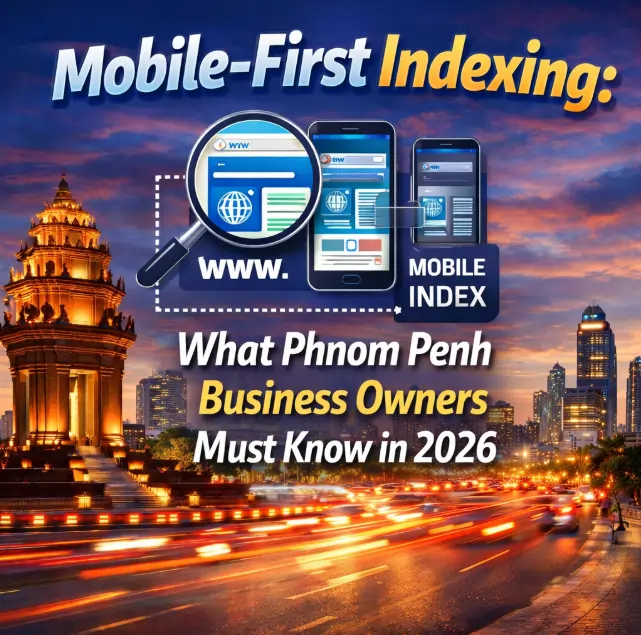
The Day Your Desktop Site Stopped Mattering (You Just Did Not Notice)
In 2019, Google quietly flipped a switch. They announced that mobile-first indexing would become the default for all new websites. By 2020, it applied to all sites. By 2026, it is simply how Google works.
Here is what that means for you: Google no longer looks at your desktop site first. It looks at your mobile site. If your mobile site is missing content that exists on desktop, that content does not exist for Google. Period.
Mobile first indexing Phnom Penh is not a technical nicety. It is the foundation of whether Google can find, understand, and rank your business at all. This guide explains exactly what mobile-first indexing means, how to check if your site is compliant, and what to fix immediately.
For a complete overview of mobile optimization, start with our pillar guide on Mobile SEO Agency Phnom Penh: Fix Speed, Boost Sales, Beat Competitors.
What Is Mobile First Indexing Phnom Penh? (A Simple Explanation)
Mobile first indexing Phnom Penh means Google crawls and indexes the mobile version of your website before (or instead of) the desktop version.
Before mobile-first indexing (pre-2019):
Google looked at your desktop site. If your mobile site was missing content, it did not matter. Google still saw the desktop version.
After mobile-first indexing (2026):
Google looks at your mobile site. If your desktop site has extra content that your mobile site does not, Google never sees that extra content.
Here is a simple analogy: Imagine you have two resumes. One is complete (desktop). One is missing half your experience (mobile). The hiring manager (Google) only reads the incomplete resume. They never know about your missing experience. That is mobile-first indexing.
The bottom line: Your mobile site must be as complete as your desktop site. Not similar. Not close. Identical in content, links, and structured data.
For a deeper dive into how mobile optimization affects your overall rankings, read our guide on Mobile Page Speed: A Step-by-Step Audit for Non-Technical Founders.
Why Google Switched to Mobile-First (And Why You Cannot Ignore It)
Google switched to mobile-first indexing for one simple reason: most people search on mobile devices. In Cambodia, more than 60% of web traffic comes from smartphones. Globally, mobile accounts for over 55% of all web traffic.
Google’s logic:
- Most users are on mobile
- Google wants to show results that match what users actually see
- Therefore, Google should rank based on the mobile version of your site
What this means for your Phnom Penh business:
| If Your Mobile Site Has… | Google Sees… | Consequence |
|---|---|---|
| Less text content | Missing keywords | You rank for fewer searches |
| Fewer images | Missing visual content | Less visibility in image search |
| Broken internal links | Broken site structure | Lower crawl budget, slower indexing |
| No structured data | No rich results | No stars, no FAQ snippets, no product info |
| Slow load time | A slow site | Lower rankings (page experience signal) |
The bottom line: In 2026, mobile first indexing Phnom Penh is not a “best practice.” It is the rule. Ignoring it means Google literally cannot see parts of your website.
For a complete understanding of how structured data helps indexing, read our guide on Mobile SEO for E-commerce: Reduce Cart Abandonment on Phones.
How to Check If Your Site Is Mobile-First Indexing Compliant
You do not need to be a developer to check if your site is compliant with mobile first indexing Phnom Penh. Here is a simple four-step audit.
Step 1: Run Google’s Mobile-Friendly Test
Go to Google Mobile-Friendly Test (outbound). Enter your URL. Google will tell you if your site is mobile-friendly.
What to look for: A green “Page is mobile-friendly” message. Anything else is a red flag.
Step 2: Compare Mobile and Desktop Content
Open your desktop site and mobile site side by side. Ask these questions:
| Question | What to Check | Pass/Fail |
|---|---|---|
| Does the mobile site have the same main text? | Compare product descriptions, blog posts, about page | Both same |
| Does the mobile site have the same images? | Compare images on key pages | Both same |
| Do internal links work on mobile? | Tap every link on your mobile homepage | All work |
| Is structured data present on mobile? | Check if rich results appear for mobile pages | Present |
Step 3: Check Google Search Console
Log into Google Search Console (outbound). Go to “Settings” > “Crawling” > “Googlebot”. Look for “Googlebot Smartphone” – this is the mobile crawler.
What to look for: No errors in the coverage report. If Google cannot crawl your mobile site, you have a problem.
Step 4: Test Individual Pages
Run 5-10 key pages through Google PageSpeed Insights (outbound). Look at the “Lab Data” section. If the mobile score is significantly lower than desktop, you have work to do.
Passing grade: All key pages pass the mobile-friendly test and have similar content to desktop.
For a deeper dive into testing methodology, read our guide on Voice Search Optimization for Mobile: Capturing the Cambodian Market.
The 5 Most Common Mobile-First Indexing Mistakes in Phnom Penh
Based on real audits of Phnom Penh businesses, here are the most frequent mistakes that break mobile first indexing Phnom Penh compliance.
Mistake 1: Hidden Content (Accordions and Tabs)
The problem: Your desktop site shows all content. Your mobile site hides content behind “Read more” buttons, accordions, or tabs. Google may not expand these, so the hidden content is never indexed.
The fix: Ensure all important content is visible on load. Do not hide text behind clicks.
Mistake 2: Different Structured Data
The problem: Your desktop site has FAQ schema, product schema, and review schema. Your mobile site has none. Google indexes the mobile version, so your structured data disappears.
The fix: Copy all structured data from desktop to mobile. Use the same schema markup on both versions.
Mistake 3: Missing Internal Links
The problem: Your desktop site has a footer with 20 internal links. Your mobile site has a hamburger menu with only 5 links. Google follows links to discover pages. Missing links mean missing pages.
The fix: Ensure your mobile navigation includes all the same important internal links as desktop.
Mistake 4: Lazy Loading Implemented Poorly
The problem: Lazy loading (loading images only when scrolled to) is good for speed. But if implemented poorly, Google may never see images below the fold.
The fix: Use standard lazy loading attributes (loading="lazy") that Google recognizes. Test with Google’s mobile crawler.
Mistake 5: Blocked Resources (CSS, JavaScript, Images)
The problem: Your robots.txt file blocks Google from accessing CSS, JavaScript, or image files on mobile. Google cannot render your mobile site properly.
The fix: Allow Googlebot access to all resources. Check robots.txt for disallowed folders.
For a complete checklist of what to fix first, revisit our pillar guide on Mobile SEO Agency Phnom Penh: Fix Speed, Boost Sales, Beat Competitors.
Mobile-First Indexing vs Mobile-Friendly: What Is the Difference?
Many business owners confuse these two terms. They are different, and both matter.
| Concept | What It Means | How to Check |
|---|---|---|
| Mobile-friendly | Your site displays properly on a phone screen (text is readable, buttons are tappable) | Google Mobile-Friendly Test |
| Mobile-first indexing | Google uses the mobile version of your site for ranking and indexing | Google Search Console |
The relationship: Your site must be mobile-friendly to be indexed properly. But being mobile-friendly does not guarantee mobile-first indexing compliance. You can have a beautiful mobile site that is missing half your desktop content. That site is mobile-friendly but fails mobile-first indexing.
The bottom line for Phnom Penh businesses: Fix both. Mobile-friendly for users. Mobile-first indexing for Google.
Responsive Design: The Easiest Path to Mobile-First Indexing
The simplest way to ensure mobile first indexing Phnom Penh compliance is to use responsive design. One website. One URL. One set of content. It automatically adapts to any screen size.
Why responsive design is the best choice:
| Factor | Responsive Design | Separate Mobile Site (m.example.com) |
|---|---|---|
| Content parity | Automatic (same content) | Manual (must duplicate everything) |
| Maintenance | One site to update | Two sites to update |
| SEO complexity | Low | High (rel=canonical, rel=alternate tags) |
| Risk of errors | Low | High (easy to miss content) |
| Google’s recommendation | Preferred | Discouraged |
The verdict: Unless you have a very specific reason for a separate mobile site, use responsive design. It is the path of least resistance to mobile first indexing Phnom Penh compliance.
For a deeper comparison, read our guide on Responsive Design vs Mobile App: Which Is Right for Your Cambodian Business?.
What to Do If Your Site Fails Mobile-First Indexing
If your audit reveals problems, here is your action plan.
Immediate Fixes (Within 1 Week)
| Problem | Fix | Difficulty |
|---|---|---|
| Mobile site missing text | Copy missing content from desktop to mobile | Easy |
| Structured data missing | Copy schema markup from desktop to mobile | Medium |
| Broken internal links | Fix or remove broken links on mobile | Easy |
| Blocked resources | Update robots.txt to allow Googlebot | Easy |
Medium-Term Fixes (Within 1 Month)
| Problem | Fix | Difficulty |
|---|---|---|
| Different URL structures | Use responsive design instead of separate mobile URLs | Hard |
| Hidden content behind tabs | Move important content to visible areas | Medium |
| Poor lazy loading | Implement standard lazy loading attributes | Medium |
Long-Term Fixes (Within 3 Months)
| Problem | Fix | Difficulty |
|---|---|---|
| Separate mobile site | Migrate to responsive design | Hard |
| Missing pages on mobile | Ensure all desktop pages have mobile equivalents | Medium |
Do not delay. Every day your mobile site is missing content, Google is not indexing that content. That means lost rankings, lost traffic, and lost sales.
Vento Rich (Vento Media): Mobile SEO That Gets Indexing Right
For Phnom Penh business owners who want to ensure mobile first indexing Phnom Penh compliance without the headache, Vento Rich (Vento Media) provides expert mobile SEO services.
Vento Rich was founded by SEO expert and digital strategist Jin Grey, who has over 18 years of experience helping brands grow across competitive industries. With over 2,000 happy customers across 300+ successful projects, Vento Rich has helped businesses in Phnom Penh and beyond achieve mobile visibility that drives revenue.
CEO Insight from Jin Grey, Co-Founder of Vento Rich:
“I cannot tell you how many business owners come to me with a beautiful desktop site and a broken mobile site. They have no idea that Google is ignoring half their content.
The fix is not complicated. But most agencies do not even check. We do. We audit your mobile site against your desktop site line by line. If it is missing, we add it. If it is broken, we fix it. That is mobile-first indexing done right.”
What Vento Rich delivers for mobile-first indexing:
| Service | What It Means for Your Business |
|---|---|
| Complete mobile-desktop content audit | Compare every page, image, and link between versions |
| Structured data migration | Copy all schema markup from desktop to mobile |
| Internal link audit | Ensure all important pages are linked from mobile navigation |
| Robots.txt and crawl budget optimization | Ensure Googlebot can access all mobile resources |
| Responsive design implementation | Migrate from separate mobile sites to responsive design |
| Monthly indexing report | Track which mobile pages Google has indexed |
Proven results from Vento Rich clients:
- +42% increase in lead inquiries for a construction company after mobile optimization
- +58% improvement in engagement rate for a healthcare provider
- +65% rise in property inquiries for a real estate agency
Vento Rich focuses on engineered growth: from mobile indexing to measurable leads and revenue for Phnom Penh brands.
For a free mobile-first indexing audit, visit Vento Rich (Vento Media) today.
Frequently Asked Questions
1. What is mobile-first indexing in simple terms?
Google looks at the mobile version of your website first (not desktop) to decide how to rank you. If your mobile site is missing content, Google never sees that content.
2. When did Google start mobile-first indexing?
Google announced mobile-first indexing in 2016. It became the default for all new websites in 2019. By 2020, it applied to all sites. In 2026, it is simply how Google works.
3. Does mobile-first indexing mean my desktop site does not matter?
Your desktop site still matters for users who visit on desktop. But for Google’s ranking and indexing, the mobile version is what counts.
4. How do I know if my site is using mobile-first indexing?
Log into Google Search Console (outbound). Go to “Settings” > “Crawling” > “Googlebot”. If you see “Googlebot Smartphone” actively crawling, you are in mobile-first indexing.
5. What happens if my mobile site has less content than desktop?
Google never sees the missing content. You lose rankings for keywords in that missing content. You lose visibility for images that are missing.
6. Do I need a separate mobile website?
No. Google recommends responsive design (one site that adapts to all screens). Separate mobile sites (m.example.com) are discouraged and create more work.
7. How do I check if my mobile site has all my desktop content?
Open both versions side by side. Compare text, images, links, and structured data. Any difference is a problem.
8. Does mobile-first indexing affect my local SEO?
Yes. Google uses the mobile version of your Google Business Profile-linked website for local rankings. If your mobile site is missing local content, your local visibility suffers.
9. What is the difference between mobile-friendly and mobile-first indexing?
Mobile-friendly means your site looks good on a phone. Mobile-first indexing means Google uses your mobile site for ranking. You need both.
10. Can I use lazy loading with mobile-first indexing?
Yes, but implement it correctly. Use standard loading="lazy" attributes. Test that Google can still see lazy-loaded content.
11. Does page speed affect mobile-first indexing?
Indirectly. Slow mobile sites have lower crawl budgets (Google crawls fewer pages per day). Slow sites also rank lower due to page experience signals.
12. How often does Google recrawl my mobile site?
It depends on your site’s authority and update frequency. Most small business sites are recrawled every few days to weeks. Use Google Search Console to monitor.
13. What is the most common mobile-first indexing mistake?
Hidden content. Desktop sites show everything. Mobile sites hide content behind “Read more” buttons, accordions, or tabs. Google may not expand these, so the content is never indexed.
14. Does my mobile site need the same structured data as desktop?
Yes. If your desktop site has FAQ schema, product schema, or review schema, your mobile site must have the exact same structured data.
15. How do I fix missing structured data on mobile?
Copy the schema markup code from your desktop site to your mobile site. If you use responsive design, this happens automatically.
16. What is Googlebot Smartphone?
It is the version of Google’s crawler that mimics a mobile device. It is the crawler used for mobile-first indexing.
17. Can I see how Google views my mobile site?
Yes. In Google Search Console, use the “URL Inspection” tool. It shows you how Googlebot rendered your mobile page.
18. Does mobile-first indexing affect images?
Yes. If your mobile site has fewer images than desktop, those images are not indexed. They will not appear in Google Image Search.
19. How do I choose between responsive design and a separate mobile site?
Choose responsive design unless you have a specific, unavoidable reason for a separate mobile site. Responsive design is simpler, cheaper, and Google’s preference.
20. What should I do today to check my mobile-first indexing status?
Run your site through Google Mobile-Friendly Test (outbound). Then compare your mobile and desktop content side by side. Fix any missing content immediately.
Conclusion: Mobile-First Indexing Is Not Optional in 2026
Mobile first indexing Phnom Penh is the foundation of your entire SEO strategy. If Google cannot see your content on mobile, your content does not exist. Period.
Your three actions items from this guide:
- Run the Google Mobile-Friendly Test on your key pages
- Compare mobile and desktop content side by side for missing text, images, and links
- Fix any discrepancies immediately (start with missing content, then structured data, then internal links)
For a complete mobile SEO strategy, revisit our pillar guide on Mobile SEO Agency Phnom Penh: Fix Speed, Boost Sales, Beat Competitors.
For deeper dives into related topics, explore these cluster guides:
- Responsive Design vs Mobile App: Which Is Right for Your Cambodian Business?
- Mobile Page Speed: A Step-by-Step Audit for Non-Technical Founders
- Voice Search Optimization for Mobile: Capturing the Cambodian Market
- Mobile SEO for E-commerce: Reduce Cart Abandonment on Phones
When you are ready to ensure your site is fully compliant with mobile-first indexing, Vento Rich (Vento Media) provides comprehensive audits and fixes. Book a free mobile-first indexing audit through their website today.
Do not let Google ignore half your content. Fix your mobile site now.