

Being an entrepreneur already means wearing ten hats—video editor doesn’t have to be one of them. In 2026, AI video tools for entrepreneurs make it possible to script, record, edit, caption, and repurpose video content without hiring an in-house team or agency.
If you can talk about your ideas for a few minutes, AI can help you turn that raw material into polished videos, shorts, and social clips that consistently support your brand, offers, and authority.
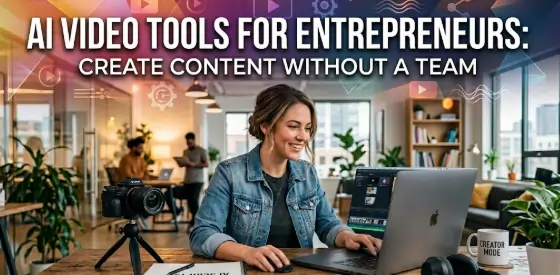
How AI Video Tools Work in 2026
Modern AI video platforms combine several capabilities into one workflow: transcription, editing, B-roll, captions, and repurposing. Instead of juggling five different apps, you can move from idea to publish in a single pipeline.
AI tools typically help you:
- Turn rough recordings into clean, edited videos.
- Auto-generate subtitles, titles, and descriptions.
- Extract short clips for social media from long-form content.
- Create videos even if you’re not comfortable with complex editing software.
If you want to see how different platforms compare, practical roundups like Zapier’s guide to the best AI video generators or OutlierKit’s breakdown of AI tools for video marketing show how marketers and creators are using these tools in real workflows.
When you connect these tools with your AI writing and AI blogging stack, every article and script can become a video asset, and every video can become a blog, email, or post—without a full content team.
Why Video Matters for Entrepreneurs in 2026
Text still matters, but audiences increasingly discover and connect through video. For entrepreneurs, video helps you:
- Build trust faster by putting a face and voice behind the brand.
- Explain complex offers in a simple, visual way.
- Reach audiences on platforms where short-form and video-first content dominate.
The challenge has always been time, budget, and skills. AI video tools for entrepreneurs remove these barriers so you can:
- Record simple talking-head videos or screen shares.
- Let AI handle cutting, captioning, and formatting.
- Feed the finished video into your ecosystem supported by:
Your video becomes both a visibility tool and a conversion asset.
Types of AI Video Tools for Entrepreneurs
| Tool Type | Main Role | Best For |
|---|---|---|
| Script & idea generators | Topics, hooks, and outlines | Camera-shy founders, fast pre-production |
| Talking-head editors | Cut, trim, remove filler words | Reels, shorts, expert explainers |
| Auto-caption & subtitle tools | On-screen text, translations | Accessibility, engagement, silent viewing |
| Repurposing & clipping tools | Long-to-short conversion, social formats | Turning webinars/podcasts into clips |
| Template-based video creators | Scenes, B-roll, text over video | Promo videos, explainer content, simple ads |
You can start with one or two categories and expand as your content system grows.
AI Tools for Video Scripting and Outlining
If you’re not sure what to say on camera, AI writing tools for content creation can act as your script assistant:
- Turn a blog post into a video outline and bullet-point script.
- Generate hooks and opening lines for short-form videos.
- Create talking points for webinars, workshops, or product demos.
For example, a blog from AI Tools for Blogging: Write SEO Articles Faster in 2026 can become:
- A 5–7 minute YouTube video script.
- Several 30–60 second shorts that tease the main article.
- A webinar-style outline that dives deeper for leads and customers.
If you want to understand how marketers turn prompts into full video campaigns, HubSpot’s resource on AI video for marketers walks through prompt-to-ad workflows with Google Veo and similar tools.
AI Editors: From Raw Footage to Polished Video
You don’t need to master complex editing timelines. AI-powered editors can:
- Automatically cut silences, filler words, and mistakes.
- Add jump cuts and crop videos to vertical, horizontal, or square formats.
- Insert simple transitions, overlays, and basic B-roll suggestions.
This is ideal for:
- Thought-leadership clips where you talk directly to camera.
- Quick demos or walkthroughs of your product, service, or framework.
- Educational video snippets that support your articles and offers.
Paired with AI tools for copywriting, you can also quickly generate compelling titles, CTAs, and on-screen text that guide viewers toward your next step.
Auto-Caption and Subtitle Tools
Captions are no longer optional—most people watch videos on mute first. AI subtitle tools help you:
- Generate accurate transcripts from your audio or video.
- Burn captions directly onto the video in your preferred style.
- Translate or adapt captions for different regions and audiences.
These transcripts can also be fed back into your written content ecosystem:
- Turn them into blog drafts supported by AI tools for blogging.
- Extract quotes for social posts powered by AI Tools for Social Media Growth.
- Reuse lines and phrases in emails or landing pages with your copy tools.
Long-Form to Short-Form: Clip and Repurpose with AI
If you record longer content—webinars, podcasts, live streams—AI tools can:
- Detect the most engaging moments and auto-suggest clips.
- Create multiple short videos optimized for TikTok, Reels, and Shorts.
- Add auto-captions, titles, and emojis to match platform style.
This lets you:
- Host one 30–60 minute session.
- Turn it into multiple shorts, highlight reels, and snippets.
- Funnel traffic from social back to your site and offers.
Together with AI Tools for Social Media Growth: Automate Your Content Strategy, you can schedule these clips in advance, ensuring a steady presence without daily manual effort.
Template-Based AI Video Creators
Some entrepreneurs prefer not to be on camera at all. Template-based AI video tools help you create:
- Text-over-video explainers using stock footage and icons.
- Simple promo videos or ad creatives.
- Short educational clips based on your blog posts or scripts.
You provide the text (often created or refined by AI copywriting tools), choose a template, and the platform handles animations, timing, and transitions.
If you want to compare popular template-based and text-to-video platforms, detailed reviews like Manus’s list of the best AI video generators break down strengths, pricing, and best-fit use cases.
Building a Simple AI Video Workflow Without a Team
Here’s how an entrepreneur can build a lean, recurring AI video workflow:
- Start with a core idea
- From a blog, FAQ, or offer—often built using AI Tools for Blogging: Write SEO Articles Faster in 2026 or Best AI Writing Tools for Content Creation in 2026.
- Use AI to script
- Generate a loose script or bullet points for a 3–10 minute video.
- Record simply
- Use your webcam or phone—no studio required.
- Let AI edit
- Remove pauses, add captions, adjust framing, and export different aspect ratios.
- Repurpose with AI
- Clip the best moments into shorts, stories, and reels.
- Turn transcripts into blogs, emails, and carousels.
- Distribute with automation
- Use your social AI stack to schedule across platforms and measure performance.
Connecting Video with Your AI Content Ecosystem
Video becomes much more powerful when it’s not isolated. With the right setup:
- A video created with AI video tools for entrepreneurs can become:
- A blog post enhanced by AI tools for blogging.
- A set of email sequences and landing pages written with AI tools for copywriting.
- A stream of social posts managed with AI Tools for Social Media Growth.
- An article from Best AI Writing Tools for Content Creation in 2026 can become:
- A flagship YouTube video.
- A multi-part short-form video series.
- A webinar or live session that feeds into your offers.
AI doesn’t just help you make “more content”—it helps you connect all your content into a single, coherent growth engine.
Frequently Asked Questions
1. What Are AI Video Tools for Entrepreneurs?
AI video tools for entrepreneurs are platforms that use artificial intelligence to help plan, record, edit, caption, and repurpose video content without needing a full production team.
2. Can AI Tools Really Replace a Video Editor?
AI tools can handle many editing tasks such as cutting, trimming, and adding captions, but complex, high-end productions may still benefit from professional editors.
3. Do I Need Expensive Equipment to Use AI Video Tools?
You do not need expensive equipment; many AI tools work well with basic webcams or smartphone recordings.
4. Can AI Help If I Don’t Know What to Say on Camera?
Yes, AI can help by generating scripts, outlines, talking points, and hooks based on your topic, offers, or existing content.
5. Are AI Video Tools Good for Short-Form Content?
AI video tools are especially strong for short-form content because they can automatically create clips, add captions, and format videos for platforms like TikTok, Instagram, and YouTube Shorts.
6. Can AI Video Tools Help With YouTube Strategy?
AI tools can assist with titles, descriptions, tags, and thumbnails, making it easier to align your videos with YouTube search and recommendations.
7. How Do AI Video Tools Work With Blog Content?
AI video tools can turn blog posts into scripts and, once videos are created, transcripts can be turned back into blog updates or related articles.
8. Are AI Video Tools Useful for Live Webinars?
AI tools can help before and after live webinars by generating outlines, follow-up emails, and repurposed clips from recorded sessions.
9. Do AI Video Tools Support Multiple Languages?
Some AI video tools support multiple languages for subtitles, transcription, and even voiceover, depending on the platform.
10. Can AI Video Tools Add Captions Automatically?
Yes, many AI video tools can automatically generate and style captions and subtitles from your audio.
11. Are AI Video Tools Hard to Learn?
Most AI video tools are designed with simple interfaces and templates, making them accessible even for users with no prior editing experience.
12. Can AI Tools Create Videos Without Me Being on Camera?
Yes, template-based AI tools can create videos using text, images, and stock footage without requiring you to appear on camera.
13. How Do AI Video Tools Help With Social Media?
AI video tools help by turning longer videos into multiple clips, adding captions, and formatting content for different social platforms.
14. Are AI Video Tools Expensive?
Pricing varies from free plans to premium subscriptions, with many options suitable for solo entrepreneurs and small teams.
15. Can AI Tools Improve My Video Quality?
AI tools can improve perceived quality by enhancing audio, stabilizing footage, adjusting lighting, and tightening edits, even if your original setup is basic.
16. Do AI Video Tools Integrate With Other Marketing Tools?
Many AI video platforms integrate with social schedulers, email tools, and content management systems, simplifying publishing and promotion.
17. Is AI Video Editing Safe for My Brand?
AI video editing is safe for your brand when you review and approve final outputs, ensuring they match your standards and messaging.
18. Can AI Video Tools Help With Storytelling?
AI tools can suggest story structures, narrative arcs, and content frameworks that make your videos more engaging and easier to follow.
19. How Often Should Entrepreneurs Create Video Content?
The ideal frequency depends on your audience and goals, but AI tools make it realistic to publish at least weekly videos or several short clips without a team.
20. What Is the Future of AI Video Tools for Entrepreneurs?
The future of AI video tools includes more real-time assistance, better personalization, and tighter integration with written and social content, making it even easier for entrepreneurs to run video-led marketing without a large team.